 MemeGIF
Watermark Image in MemeGIF with readable text or your own logo
Prepare a clearly marked copy of a picture before sharing it. Watermark Image on MemeGIF lets you choose text or a supplied logo, then adjust its position, size, and opacity. Keep the original clean, inspect the finished mark, and save a version suited to the place it will appear.
Watermark Image workspace
Drop or paste a JPG, PNG or WebP · up to 30 MB
Up to 8192 pixels per side and 32 megapixels
Free · Sign in to process · Inputs and results are saved to your account.
Introduction
What Watermark Image adds to your picture
Watermark Image combines a visible mark with your source pixels. MemeGIF supports a name, a short label, or a raster logo when you want attribution to remain inside a downloaded copy.
Watermark Image for a deliberate shared copy
A portfolio preview may need a name placed over the picture, while a product draft may need a short identifying label. Use Watermark Image in MemeGIF to prepare that version separately from the clean source. Decide what the mark should communicate before choosing its size; a visible overlay can identify a copy without becoming its main subject.
The mark travels with the Watermark Image download because it becomes part of the picture. It is different from a caption beside an image on a website. In MemeGIF, check whether the overlay makes sense when the picture is viewed alone, and whether it remains legible at the size you plan to share.
- Use Watermark Image to identify a particular version of a picture.
- Keep an unmarked original outside MemeGIF for other uses.
Make the account and processing steps clear
You can choose an image and explore settings before submitting. Sign in to process a Watermark Image request; MemeGIF saves the source, any supplied logo, and the finished picture to your private account storage. The image computation takes place in your browser, but this is still an upload-and-save workflow.
Watermark Image does not require a subscription or deduct generation credits. Keep the MemeGIF page open while processing and saving complete, especially with a large source on a slower device. Download the finished copy and retain the original photograph and logo separately.
- A Watermark Image request handles one source picture at a time.
- Browser processing in MemeGIF does not mean files stay upload-free.

How to use
How to use Watermark Image in MemeGIF
- Beforebag.jpg
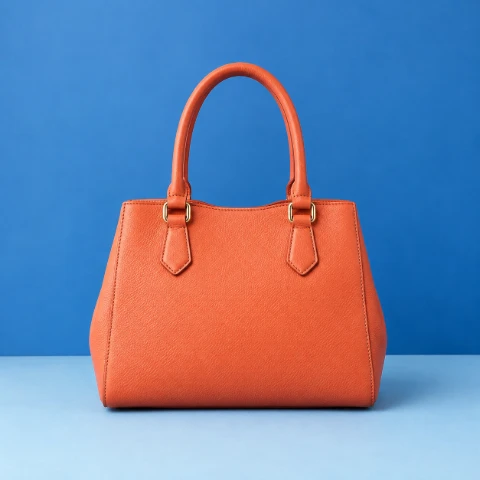 1254 × 1254 px1.63 MBSTEP 1
Choose a clean source
Open Watermark Image in MemeGIF with a supported static picture. Retain the unmarked original before preparing a version intended for sharing.
- TextYOUR BRANDOpacity80%STEP 2
Choose the mark
Enter Watermark Image text or supply a raster logo in MemeGIF. Check wording, logo transparency, and whether the chosen overlay suits the source.
 YOUR BRAND 80%STEP 3
Adjust the overlay
Move the Watermark Image mark in MemeGIF and set its size and opacity. Adjust text color where appropriate, keeping important subject details visible.
- AfterBeforebag.jpgDownloadSTEP 4
Process and inspect
Sign in and process the Watermark Image copy in MemeGIF. Let account saving finish, then download and inspect the flattened output at its intended size.
Features
Choose Watermark Image text or a supplied logo
The Watermark Image overlay can be typed text or an image file. MemeGIF gives each choice a different purpose: a concise label communicates words, while a prepared logo carries an existing visual mark.
Watermark Image text should fit the destination
Enter a short name or label in MemeGIF, then adjust its size and color. Watermark Image accepts text up to 160 characters, but a long phrase is rarely useful in a compact preview. Start with wording that is easy to recognize and check how it looks against the actual photograph rather than an empty background.
Read the Watermark Image wording before exporting. A typo becomes part of the result pixels, so a downloaded copy does not retain an editable text layer. Return to the clean source in MemeGIF when the wording needs a change.
- Check Watermark Image spelling and spacing before processing the copy.
- Judge MemeGIF text size at the intended viewing scale.
Prepare the logo appearance before placing it
Supply a static JPG, PNG, or WebP logo for Watermark Image. MemeGIF places the file you provide rather than generating a new logo or automatically removing its background. An opaque rectangle remains part of that file; prepare a transparent PNG or WebP separately when the mark should have a clean outline.
Choose whether the Watermark Image request needs a logo or text. Selecting the text option clears the logo. In MemeGIF, review the supplied graphic itself for spelling, proportions, and transparent edges before positioning it over a source that may make those details harder to see.
- Use Watermark Image with a supported raster version of your logo.
- MemeGIF preserves the logo you supply, including an opaque background.

Place the Watermark Image overlay where it works
Watermark Image positioning should serve both attribution and the picture. In MemeGIF, check the complete composition while adjusting placement, scale, and opacity; a readable mark can still obscure an important detail.
Move the mark and inspect what it covers
Drag the Watermark Image overlay in the preview, or use its X and Y percentage controls to place the center. MemeGIF makes it possible to position the mark deliberately rather than assuming one corner suits every photograph. Look for faces, product labels, controls, and other details that viewers still need to understand.
Adjust the Watermark Image size while reviewing the whole frame. A logo uses a size relative to source width; text size also follows the source dimensions. Inspect the MemeGIF preview at a useful scale, then judge the finished image at its destination size. A mark that is technically present can become unreadable in a small card.
- Place Watermark Image attribution without hiding necessary source details.
- Use MemeGIF percentage controls for deliberate center placement.
Watermark Image opacity and text color work together
Opacity controls how strongly the Watermark Image mark covers the picture underneath it. Lower opacity can preserve more visible content, but can also make the overlay difficult to read. In MemeGIF, compare the mark against both light and dark patches of the photograph before deciding that one setting works across the whole area.
Text color changes the lettering, while a supplied Watermark Image logo keeps its own colors. Review placement and contrast together in MemeGIF instead of using opacity to solve every readability problem. Sometimes moving a modest mark into quieter space works better than making it large enough to compete with the subject.
- Keep Watermark Image readable across the area it actually occupies.
- MemeGIF text color does not recolor a supplied logo.
Understand Watermark Image export and its limits
Watermark Image creates a flattened raster result. MemeGIF saves the marked copy to your account; source quality, output format, and your inspection determine whether that copy is ready for the intended use.
Keep separate sources for future changes
Choose JPG, PNG, or WebP output for Watermark Image. MemeGIF combines the picture and overlay into one file,. Keep the clean photograph and original logo separately so a new position, phrase, or size can be prepared from the source rather than painted over the old result.
Inspect fine text, logo edges, and transparency in the Watermark Image output. JPG does not support transparency and fills transparent space with a solid background; JPG and WebP encoding quality can change the appearance of small details. A mark that looked suitable in MemeGIF still needs review in the completed downloaded file.
- Watermark Image downloads are raster copies, not layered design files.
- Retain separate source assets when using MemeGIF for another version.
Watermark Image is visible attribution, not copy protection
Use a source and logo you are entitled to edit and share. Watermark Image adds a visible overlay, but cannot stop someone from cropping, covering, or editing it. MemeGIF does not provide invisible tracking, copyright registration, or removal-proof protection through this tool. The mark identifies the copy; it does not establish ownership or permission.
Every Watermark Image input, including a logo, must be a static JPG, PNG, or WebP up to 30 MB, with a longest side of 8192 pixels and at most 32 megapixels. MemeGIF rejects unsupported formats and animation. An SVG logo needs a compatible raster version prepared separately; there is no automatic server conversion fallback.
- Treat Watermark Image as one visible mark, without tiling guarantees.
- Check both picture and logo against MemeGIF input limits.
Workflow examples
Illustrative ways to plan, generate, and review your work.
MemeGIF workflow examples
Begin with a product photograph and a focused image-editing brief. Compare the draft with the original for shape, labels, and proportions before placing it into a listing. Add approved logos and exact copy in your design application.
Choose a video model and describe one small action, such as a careful object turn. Review the available duration, resolution, and credits. Check the completed take for object continuity and sound before using it in a larger edit.
Give the image workspace a subject, viewpoint, and visual metaphor that supports your article. Preview the result inside the intended layout. Adjust the crop or composition when it competes with the headline or obscures an important detail.
Sign in and use Compress Image when a picture has the right dimensions but a large file size. Compression runs in the browser; input and output images are saved to your account. Compare the result before downloading individual files or a ZIP.
Paste a draft into Humanize AI and select Natural, Friendly, or Professional tone. Review the rewrite for meaning, names, figures, and technical terms. Copy or download the version you have checked; detector scores and publication outcomes are not guaranteed.
Record the palette, viewpoint, lighting, and subject scale in a reusable brief. Supply relevant references where the selected image model supports them. Compare the images together, then revise specific differences instead of assuming automatic campaign-wide consistency.
Watermark Image is free after sign-in, without a subscription or generation credit deduction. MemeGIF saves the source, supplied logo, and result to your private account storage; processing runs in your browser.
MemeGIF Pricing and Credit Plans
Cancel anytime
Trending face-swap templates cost 300 Credits per video, including full-length Bad Times and every available format. Other tools keep their own quotes. Existing MV tickets remain usable until their original expiry; new tickets are no longer sold.
Pay once annually; receive 1/12 of your annual Credits each month. The first allocation arrives after payment, then monthly. Tax included. Each allocation expires at the next subscription month or paid-year end.
Lite
50% off0.025 / credit
$14.9/month equivalent · Billed $179· Save $179.8
Annual total: 7,200 credits, issued monthly
Video Models


Image Models


- Includes MiniMax H3 and all premium models
- Up to 1 batch generation task
- Standard generation speed
- Standard generation success rate
- Standard customer support
- Commercial Use License
Standard
50% off0.017 / credit
$24.9/month equivalent · Billed $299· Save $299.8
Annual total: 18,000 credits, issued monthly
Video Models
Image Models
- Includes MiniMax H3 and all premium models
- Up to 4 batch generation tasks
- Priority processing speed
- High generation success rate
- Priority customer support
- Commercial Use License
Pro
50% off0.014 / credit
$49.9/month equivalent · Billed $599· Save $599.8
Annual total: 43,200 credits, issued monthly
Video Models
Image Models
- Includes MiniMax H3 and all premium models
- Up to 10 batch generation tasks
- Fastest generation speed
- High generation success rate
- Dedicated account manager
- Commercial Use License
Max
50% off0.012 / credit
$99.9/month equivalent · Billed $1,199· Save $1,199.8
Annual total: 96,000 credits, issued monthly
Video Models
Image Models
- Includes MiniMax H3 and all premium models
- Up to 10 batch generation tasks
- Fastest generation speed
- High generation success rate
- Dedicated account manager
- Commercial Use License
Pay safely and securely with























FAQ
Frequently asked questions
Is Watermark Image free after signing in?
Yes. MemeGIF requires sign-in for processing but does not require a subscription or deduct generation credits for this tool. The source, supplied logo, and completed output are saved to your private account storage.
Does Watermark Image upload my picture or logo?
Yes. MemeGIF saves the original, any supplied logo, and the finished image to your account. Computation runs in the browser. Local processing does not mean the files remain on your device without uploads.
Can Watermark Image use text and a logo together?
Choose text or a supplied logo for the overlay. In MemeGIF, selecting the text option clears the logo. Use the relevant size, position, and opacity controls for your chosen mark rather than assuming multiple independent layers.
Does Watermark Image remove a logo background automatically?
No. MemeGIF uses the logo file as supplied. Prepare a transparent PNG or WebP separately when you need a clean outline; an opaque rectangle in the input graphic remains part of the visible mark.
Can Watermark Image guarantee that a mark cannot be removed?
No. A visible mark can be cropped, covered, or edited. MemeGIF provides attribution controls, not a security barrier, an ownership certificate, or a guarantee against copying or alteration of the marked picture.
Does Watermark Image export an editable text or logo layer?
No. MemeGIF exports a flattened raster image. Keep the clean picture and logo separately so later changes can start from suitable source assets rather than a download with an old mark already included.
Can Watermark Image accept an SVG logo?
No. MemeGIF accepts static JPG, PNG, and WebP input. Prepare a raster version of an SVG separately. Animation, PDF, HEIC, TIFF, and AVIF are unsupported, and there is no automatic conversion of those inputs.
Which size limits apply to Watermark Image?
MemeGIF checks each input, including a logo: up to 30 MB, a longest side of 8192 pixels, and at most 32 megapixels. This is a single-picture workflow, without batch processing or ZIP export.
CTA
Place a useful Watermark Image mark in MemeGIF
Choose concise text or a prepared logo and review how it sits over your picture. Watermark Image on MemeGIF gives you placement controls and a saved, flattened copy for your next sharing step.
Choose an Image