 MemeGIF
 · Google Gemini AI alternative for turning an idea into a clip
Move from an abstract idea to an action you can watch with a Google Gemini AI alternative on MemeGIF. This page starts with MiniMax H3 Max Turbo for short video generation. Bring a self-contained brief or an authorized starting picture, review the complete candidate, and finish selected footage in your own editor.
Video workspace
The wooden elevator opens
28/33View prompt
Five-second continuous frontal shot of closed wooden elevator doors opening slowly to reveal one adult woman standing inside. Keep the camera fixed at eye level and the woman relaxed, facing forward. Preserve a simple, balanced composition with warm wood grain and soft interior light. End with the doors open and the woman still standing.
Introduction
MemeGIF | What does this Google Gemini AI alternative cover?
Choose a Google Gemini AI alternative on MemeGIF for a specific task. This page concerns a short visual result, not the full range of assistant work.
Choose one visible result
Choose this Google Gemini AI alternative on MemeGIF for one visual task: turning a finished idea into a short scene. Establish the gesture and its conclusion before writing atmosphere. This workspace does not carry an assistant conversation or assemble research; keep the broader project context in your own planning notes.
Translate thinking into something visible
A seed collector holding a translucent pod toward daylight makes curiosity visible. Give this Google Gemini AI alternative on MemeGIF that subject, gesture, and setting instead of leaving the entire scene inside an abstract emotion.
Carry the useful context yourself
This Google Gemini AI alternative on MemeGIF does not transfer Google conversations, accounts, or projects. Copy the relevant creative decisions into a fresh shot brief. Keep research and general assistant tasks elsewhere; this workflow concerns the short scene you want to create.

How to use
How to use this Google Gemini AI alternative in MemeGIF
- STEP 1
Bring a self-contained brief
Sign in to this Google Gemini AI alternative on MemeGIF and choose Turbo text mode, or upload an authorized image as the starting frame.
- STEP 2
Describe one observable event
Give the Google Gemini AI alternative on MemeGIF one hand unrolling a red ribbon, a steady viewpoint, and gentle fabric sounds. Keep the spool and complete ribbon movement visible through the final pause.
- STEP 3
Check the request
Start this Google Gemini AI alternative on MemeGIF at five seconds and 480P, confirm framing, and review the Create quote before generating.
- STEP 4
Review and download
Compare the Google Gemini AI alternative result on MemeGIF with your brief, inspect meaningful details and audio, then download the clip you approve.

Features
MemeGIF | Give the Google Gemini AI alternative a visible action
Turn the idea into a subject, verb, and outcome. A Google Gemini AI alternative request on MemeGIF needs enough detail to reveal whether the result matches your intention.
Replace an adjective with an event
To express release, describe a hand unrolling red silk ribbon across a pale table. This Google Gemini AI alternative on MemeGIF receives an observable action, with the fabric relaxing into a curve that marks its conclusion.
- Choose one action rather than illustrating every sentence in the brief.
- Give the Google Gemini AI alternative a visible stopping point.
Define what remains unchanged
State that the tabletop stays still and the hand remains beside the spool. Those boundaries help direct a Google Gemini AI alternative on MemeGIF without requiring an elaborate paragraph. Review them afterward; naming a fixed feature does not lock its pixels or geometry.
Remove conversational shorthand
Replace phrases such as use the previous look with explicit color, material, and framing instructions. A Google Gemini AI alternative brief on MemeGIF should make sense on its own. Bring only the decisions relevant to this shot, not an entire brainstorming conversation.

MemeGIF | Anchor the Google Gemini AI alternative with a starting image
When appearance matters, an image can explain it directly. Switch this Google Gemini AI alternative on MemeGIF to image mode and provide an authorized opening frame.
Show the complete subject
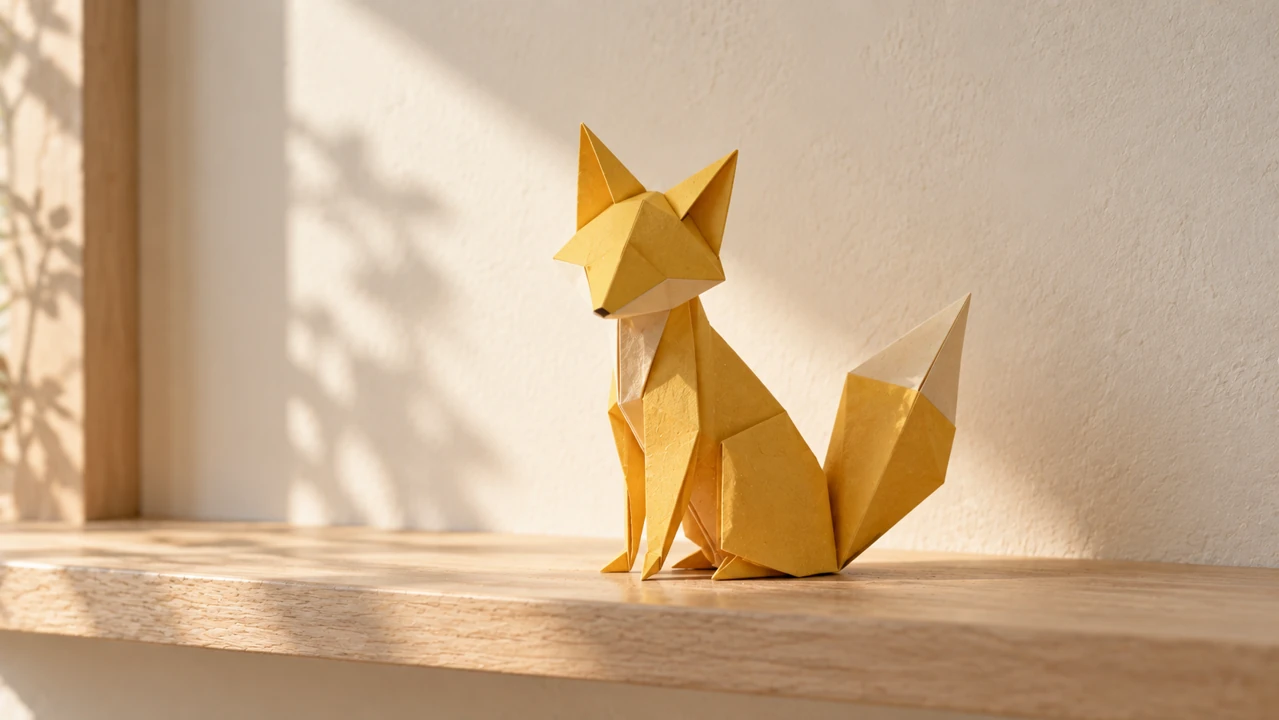
An original yellow folded-paper fox establishes a silhouette for a small head turn. Keep its ears and tail visible. The Google Gemini AI alternative on MemeGIF uses the opening as guidance, not a guarantee of unchanged details.
Assign a modest next moment
Ask for a slight turn followed by a pause, keeping the paper-like finish and simple backdrop recognizable. This Google Gemini AI alternative on MemeGIF task does not need a new location or several characters. Inspect the folds and outline during the movement.
Use the optional ending deliberately
A compatible ending frame can indicate the intended final pose. This Google Gemini AI alternative on MemeGIF has no image-mode ratio selector. Prepare a deliberate source crop and inspect the returned framing instead of assuming fixed proportions. Endpoints still need a clear movement brief; they do not guarantee a natural transition.
MemeGIF | Set a clear Google Gemini AI alternative request
Make the first Google Gemini AI alternative on MemeGIF attempt small enough to judge. Decide what you want to learn from it before selecting duration or resolution.
Start with the supported default
This Google Gemini AI alternative on MemeGIF starts with MiniMax H3 Max Turbo in text mode: five seconds, 480P, 16:9, and one output. The required prompt accepts up to 50000 characters. Choose integer durations from five through fifteen seconds and one of six text ratios. Native audio is always on without a sound-off switch.
- Choose five to fifteen seconds according to the action.
- Review the Google Gemini AI alternative Create quote for the selected settings.
Describe sound with the action
An adult musician lifting a silver tuning fork near one ear suggests a quiet tone. Native audio accompanies this Google Gemini AI alternative output on MemeGIF; describe its atmosphere without treating generated sound as an acoustic measurement.
Separate resolution from correctness
You can choose 480P, 768P, or 1080P, but a higher setting does not resolve an ambiguous instruction. First check whether the Google Gemini AI alternative on MemeGIF shows the requested gesture. Increase resolution for your intended use after the scene itself makes sense.

MemeGIF | Check Google Gemini AI alternative output against the brief
A plausible picture is not automatically the right picture. Review the Google Gemini AI alternative on MemeGIF for meaning, continuity, and details that matter to the task.
Inspect a concrete relationship
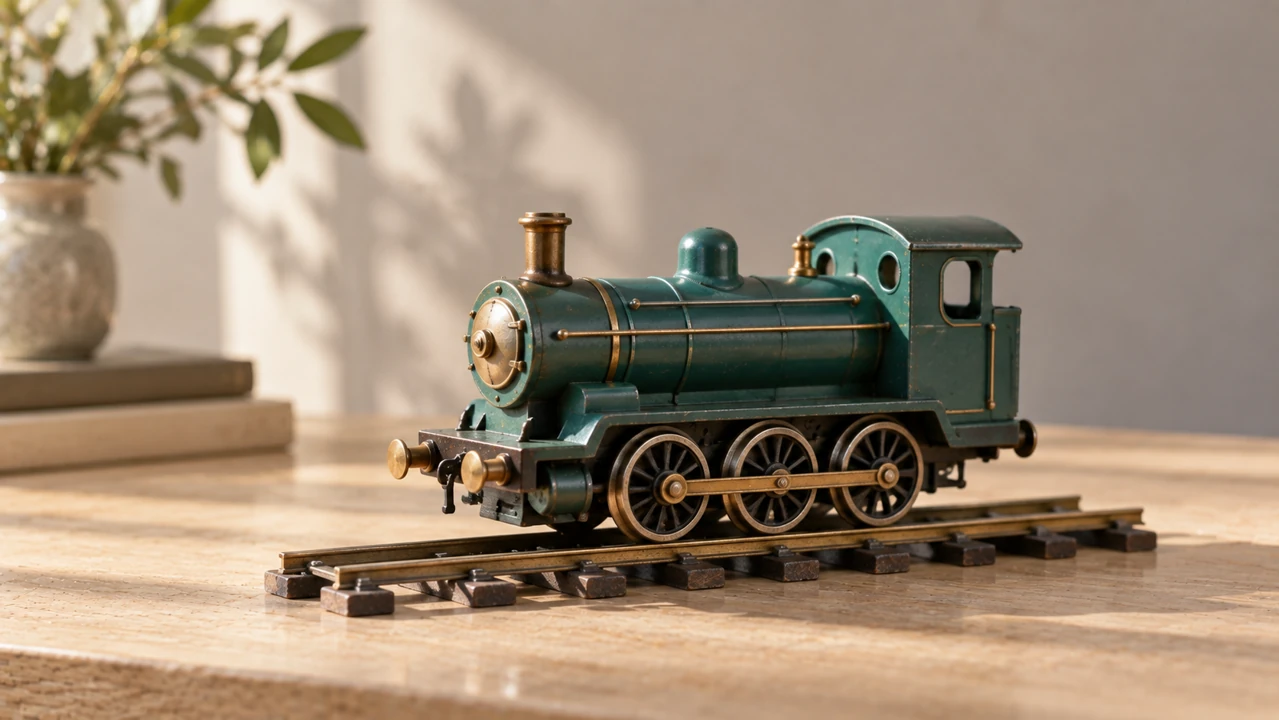
For a mechanical toy train on a short track, check that wheels stay connected and remain on the rails. Google Gemini AI alternative on MemeGIF review needs specific questions, not just appreciation of an attractive scene.
- Watch the complete clip before inspecting individual moments.
- Check Google Gemini AI alternative changes where objects touch or overlap.
Distinguish illustration from evidence
Generated scenes can invent details that look convincing. Do not use a Google Gemini AI alternative clip on MemeGIF as verification of a product mechanism, historical event, or scientific result. Check relevant facts separately and describe illustrative footage accurately in the context where it appears.
Listen for contradictions
A quiet visual scene can arrive with unexpected sound. Review the Google Gemini AI alternative on MemeGIF soundtrack for speech, impacts, or ambience that conflicts with the brief. Choose the complete audiovisual result consciously rather than approving a clip from its silent preview alone.
MemeGIF | Choose a Google Gemini AI alternative result you can use
Give the final Google Gemini AI alternative on MemeGIF selection a defined destination. Save the useful decisions and hand off a clip rather than an unresolved collection of experiments.
Decide what ready means
A designer setting down a finished woven lampshade suggests a handoff moment. Define a comparable finish for your Google Gemini AI alternative on MemeGIF task: resolved action, readable subject, and atmosphere consistent with the brief.
Revise the smallest useful detail
Keep a successful setup and alter one weakness, such as a rushed gesture or excessive camera movement. Compare Google Gemini AI alternative on MemeGIF attempts with the same acceptance question. This makes selection more purposeful than repeatedly requesting a vaguely better version of everything.
Follow the existing result workflow
Sign in with enough credits and check the current Create quote for this Google Gemini AI alternative on MemeGIF. Cloud processing needs network access; inputs and results are saved to your account. Inspect any failure status and the actual file, including dimensions and sound. Download a reviewed candidate and finish precise cuts or captions separately.

Example prompts
Show release through one ribbon movement
Five-second continuous close-medium shot. One adult hand slowly unrolls a red silk ribbon from a plain wooden spool across a pale oak table, then stops as the ribbon relaxes into a loose curve. Keep the hand, spool, and full working ribbon visible. Soft daylight, steady camera, gentle fabric movement and quiet room ambience. No text, extra objects, or cuts.
A quiet handoff of finished craftwork
Five-second continuous medium-wide shot. One fictional adult designer in a simple charcoal shirt places one finished natural woven lampshade upright on a clean table, releases it, and pauses to inspect its shape. Soft window light, steady eye-level view, the entire shade and both hands visible. Gentle contact sound and quiet studio ambience. No lamps, branding, dialogue, or scene changes.
Workflow examples
Illustrative ways to plan, generate, and review your work.
MemeGIF workflow examples
Begin with a product photograph and a focused image-editing brief. Compare the draft with the original for shape, labels, and proportions before placing it into a listing. Add approved logos and exact copy in your design application.
Choose a video model and describe one small action, such as a careful object turn. Review the available duration, resolution, and credits. Check the completed take for object continuity and sound before using it in a larger edit.
Give the image workspace a subject, viewpoint, and visual metaphor that supports your article. Preview the result inside the intended layout. Adjust the crop or composition when it competes with the headline or obscures an important detail.
Sign in and use Compress Image when a picture has the right dimensions but a large file size. Compression runs in the browser; input and output images are saved to your account. Compare the result before downloading individual files or a ZIP.
Paste a draft into Humanize AI and select Natural, Friendly, or Professional tone. Review the rewrite for meaning, names, figures, and technical terms. Copy or download the version you have checked; detector scores and publication outcomes are not guaranteed.
Record the palette, viewpoint, lighting, and subject scale in a reusable brief. Supply relevant references where the selected image model supports them. Compare the images together, then revise specific differences instead of assuming automatic campaign-wide consistency.
MemeGIF Pricing and Credit Plans
Cancel anytime
Trending face-swap templates cost 300 Credits per video, including full-length Bad Times and every available format. Other tools keep their own quotes. Existing MV tickets remain usable until their original expiry; new tickets are no longer sold.
Pay once annually; receive 1/12 of your annual Credits each month. The first allocation arrives after payment, then monthly. Tax included. Each allocation expires at the next subscription month or paid-year end.
Lite
50% off0.025 / credit
$14.9/month equivalent · Billed $179· Save $179.8
Annual total: 7,200 credits, issued monthly
Video Models


Image Models


- Includes MiniMax H3 and all premium models
- Up to 1 batch generation task
- Standard generation speed
- Standard generation success rate
- Standard customer support
- Commercial Use License
Standard
50% off0.017 / credit
$24.9/month equivalent · Billed $299· Save $299.8
Annual total: 18,000 credits, issued monthly
Video Models
Image Models
- Includes MiniMax H3 and all premium models
- Up to 4 batch generation tasks
- Priority processing speed
- High generation success rate
- Priority customer support
- Commercial Use License
Pro
50% off0.014 / credit
$49.9/month equivalent · Billed $599· Save $599.8
Annual total: 43,200 credits, issued monthly
Video Models
Image Models
- Includes MiniMax H3 and all premium models
- Up to 10 batch generation tasks
- Fastest generation speed
- High generation success rate
- Dedicated account manager
- Commercial Use License
Max
50% off0.012 / credit
$99.9/month equivalent · Billed $1,199· Save $1,199.8
Annual total: 96,000 credits, issued monthly
Video Models
Image Models
- Includes MiniMax H3 and all premium models
- Up to 10 batch generation tasks
- Fastest generation speed
- High generation success rate
- Dedicated account manager
- Commercial Use License
Pay safely and securely with























FAQ
Frequently asked questions
Is this Google Gemini AI alternative a general chat assistant on MemeGIF?
No. This Google Gemini AI alternative on MemeGIF concerns short video generation with MiniMax H3 Max Turbo. Bring a finished creative brief for one visible scene. General assistant conversations and research are outside this workflow; it does not transfer your Google account or project history.
Does the Google Gemini AI alternative retain my Google context?
For this Google Gemini AI alternative in MemeGIF, no. Google accounts, project state, and chat history are not transferred. Write the relevant subject, action, framing, and sound directly in the new request. Upload an authorized opening image when that is the clearest way to establish the scene.
Can the Google Gemini AI alternative begin with text alone?
Yes. This Google Gemini AI alternative on MemeGIF starts in text mode at five seconds, 480P, and 16:9 without files. Image mode requires an opening picture and accepts one optional ending frame, with no ratio selector or video and audio uploads. Review the actual framing rather than assuming unchanged source proportions.
What if a Google Gemini AI alternative result is incorrect?
For this Google Gemini AI alternative in MemeGIF, compare the clip with the brief and identify a specific mismatch before revising. Check the existing result record if generation failed. Do not treat a failed task as a completed video or assume a new request preserves the previous result exactly.
How do I reuse a Google Gemini AI alternative clip?
For this Google Gemini AI alternative in MemeGIF, download the version you have reviewed, keeping its brief and chosen settings with your own project records. Use a separate editor for precise assembly, captions, and final delivery. Generated detail or sound still needs review for the intended audience and context.
CTA
Try the Google Gemini AI alternative on MemeGIF for one visible idea
Choose a scene you can describe and a result you know how to assess. Use this Google Gemini AI alternative on MemeGIF to create a short candidate, review the complete picture and sound, and download your selected clip.
Turn your brief into a clip