 MemeGIF
 Xiaohongshu Guide: Six Pages with GPT-Image-2
Plan a Xiaohongshu grid post with MemeGIF. Check the copy, panel sequence, splits, and source dimensions before preparing the separate post images.
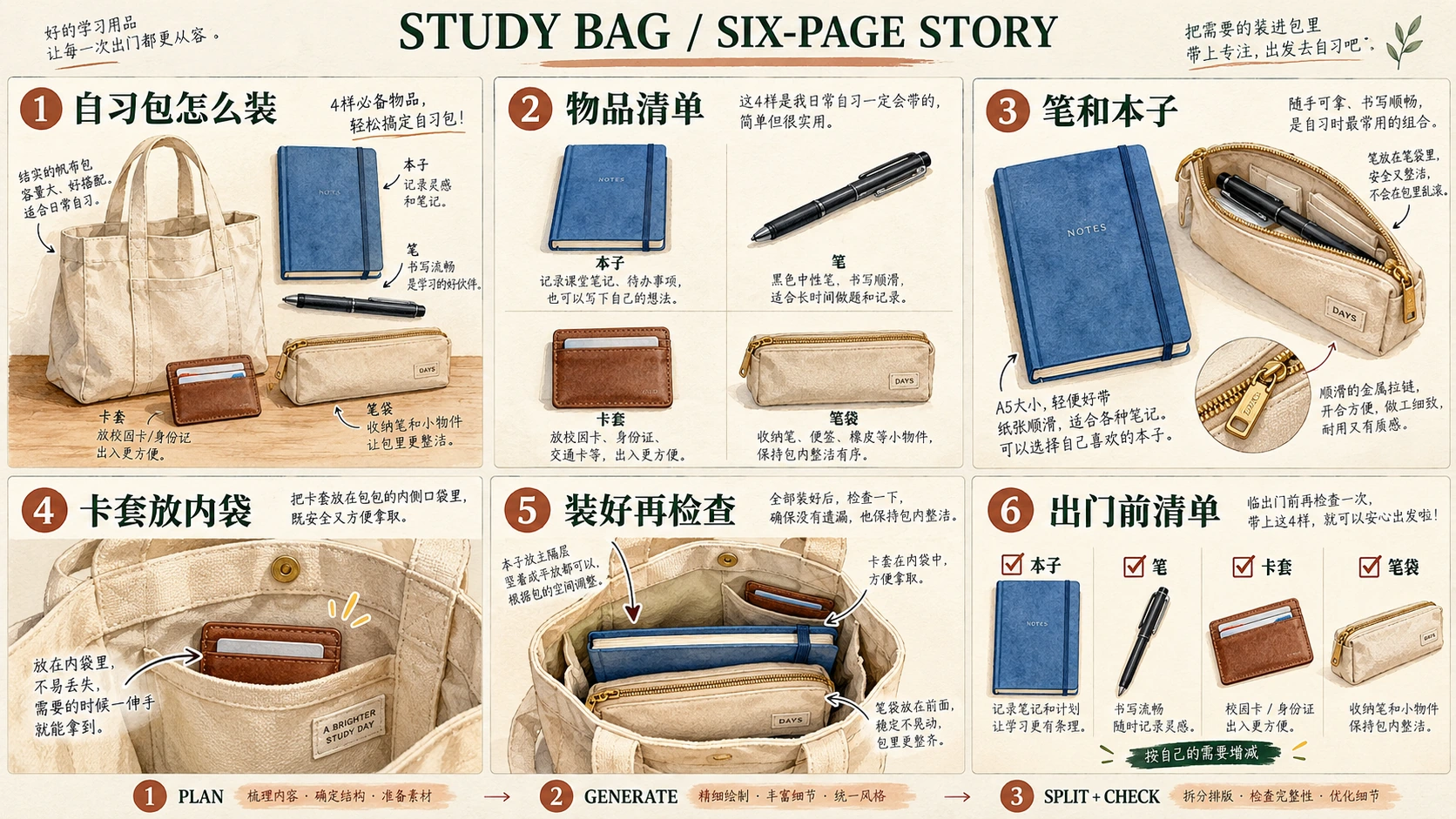
An MemeGIF carousel needs distinct, useful pages, recognizable objects, readable copy, and a deliberate reading order—not merely matching pictures.
This MemeGIF walkthrough develops 自习包怎么装, a six-page Chinese-language study-bag explainer. Plan, generate, inspect, and assemble six separate images for later platform preview.
The six illustrations are Codex-generated teaching images, not MemeGIF test outputs, photographs of real products, or evidence of a bag-capacity test.
1. Give each page a different job
Give every page a job before requesting matching artwork.
Canva’s guidance helps plan the text and images for a Rednote post, separating a summarizing cover from varied interior layouts. Apply that distinction to MemeGIF: introduce the inventory, explain placements, then finish with a checklist.
Keep the approved MemeGIF copy separately:
| Page | Exact heading | Exact supporting text | Page’s job |
|---|---|---|---|
| 01 | 自习包怎么装 | 四件小物,按位置整理 | Introduce the bag and its four contents. |
| 02 | 先摊开看 | 本子、笔、卡套、笔袋 | Identify the four items before packing. |
| 03 | 笔和本子先配好 | 把笔收入笔袋 | Show where the pen goes. |
| 04 | 卡套留在好拿处 | 放进内袋,方便取用 | Explain the cardholder’s location. |
| 05 | 装好后的样子 | 本子和笔袋放主袋,卡套放内袋 | Show the packed arrangement. |
| 06 | 出门前再核对 | Checklist: 本子, 笔, 卡套, 笔袋 · Footer: 按自己的需要增减 | Provide a final inventory to review. |
Preserve the leading zero in 01 through 06 in MemeGIF artwork.
Define the objects once
Define the MemeGIF reference as one beige canvas tote with two handles and one inner pocket, containing one blue notebook, one black pen, one plain brown cardholder, and one beige zippered pencil pouch.
In the MemeGIF checklist, the bag is the container, not a fifth item. Keep the cardholder free of personal details and invented identification numbers.
Keep MemeGIF object designs consistent while varying visibility. Pocket close-ups need not include the notebook; a pen inside a pouch should not also appear loose.
2. Set up one portrait page in MemeGIF
Open MemeGIF to design one page of a social carousel.
Start MemeGIF in Text to Image, GPT Image 2. Change 1:1 to 3:4, then use:
| Setting | Choice for this example |
|---|---|
| Mode | Text to Image |
| Model | GPT Image 2 |
| Aspect ratio | 3:4 portrait |
| Resolution preset | 1K |
| Output format | JPEG |
| Output count | x1 |
3:4 is this MemeGIF example’s choice, not a mandatory Xiaohongshu format.
MemeGIF’s x1 requests one image. Repeat with a different brief for each page; it does not generate, order, or publish the complete series.
Teaching assets do not establish MemeGIF export dimensions or file options.
3. Combine one shared prompt with one page brief
Use the MemeGIF shared visual prompt plus exactly one page brief.
Submit independent pages separately. The optional grid route uses all six briefs, equal-cell instructions, and external splitting.
Create exactly one standalone 3:4 portrait page for a Chinese-language illustrated study-bag explainer.

This request is for the single page described in the page brief appended below.
Do not generate the whole series, a collage of pages, or multiple alternative designs.

Shared visual style:
Use a milky off-white background, dark-green headings, and soft watercolor-style illustrations.
Keep the page clean, with generous outer margins and clear separation between text and pictures.
Make the heading prominent and the supporting text readable.
Show the two-digit page number once in a consistent, unobtrusive position.
Keep the page flat, without a phone frame or perspective mockup.

Shared object designs:
- One beige canvas tote with two handles and one inner pocket.
- One blue notebook.
- One black pen.
- One plain brown cardholder with no text or personal information.
- One beige zippered pencil pouch.

Show only the objects and object states requested in the appended page brief.
Do not add duplicates merely to make hidden contents visible.
Keep the colors, shapes, and bag construction consistent wherever they are shown.

Text:
Render only the exact Chinese text and page number supplied in the appended brief.
Preserve every character and punctuation mark.
Do not translate the copy or add English captions.
Do not print instruction labels such as Heading, Page number, or Supporting text.
Keep all lettering away from the page edges and illustration details.

If a reference image is attached:
Use it to guide the object designs, colors, and illustration style.
Replace its old copy and composition with the new page brief.
Do not carry over a previous page number or heading.

Exclusions:
No people, hands, brands, prices, capacity measurements, testimonials, engagement claims, or extra stationery. Small material-detail insets may magnify existing objects without adding new inventory.
Do not portray the illustration as a photograph or a tested product arrangement.
Save and inspect each MemeGIF candidate before continuing. Shared instructions define review criteria, not guaranteed text or object consistency.
4. Build the six pages in order
Page 01: introduce the topic and inventory
Append the cover brief to your shared prompt:
Page number:
01

Heading:
自习包怎么装

Supporting text:
四件小物,按位置整理

Illustration:
Show the beige canvas tote with two handles and its single inner pocket.
Outside the bag, arrange exactly four separate items:
one blue notebook, one black pen, one plain brown cardholder, and one beige zippered pencil pouch.

Keep the items identifiable and distinct from one another.
Use a cover composition with enough space for the heading and short supporting text.
Do not put duplicate contents inside the bag.
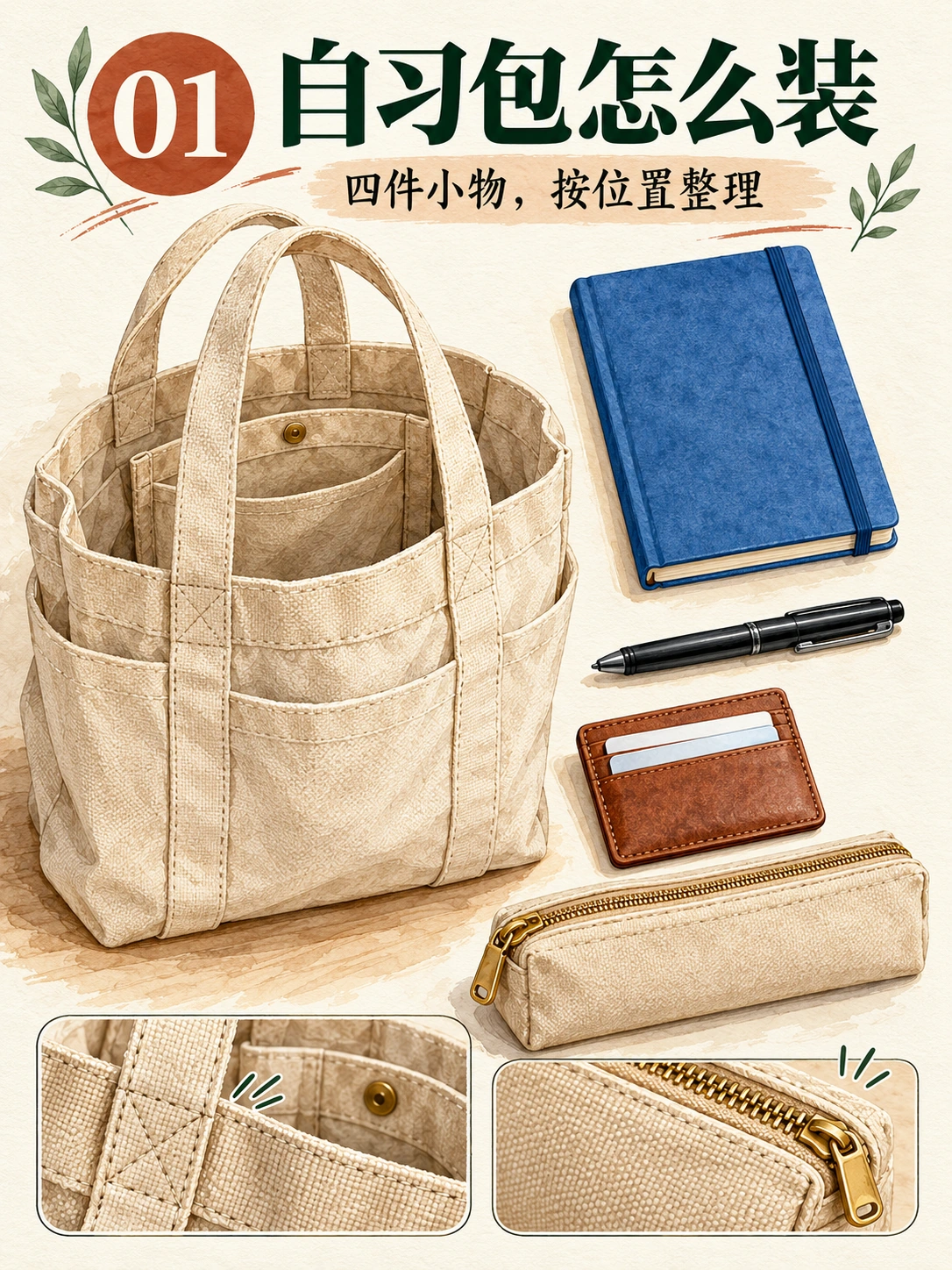
Codex-generated teaching page 01. The cover establishes the container and four-item inventory.
Check MemeGIF’s bag handles, pocket, and four separate contents before using the cover as a reference. Reject a wrong design early.
Page 02: separate the four items
Append this inventory brief:
Page number:
02

Heading:
先摊开看

Supporting text:
本子、笔、卡套、笔袋

Illustration:
Show exactly four objects in a spacious 2-by-2 flat lay:
one blue notebook, one black pen, one plain brown cardholder, and one beige zippered pencil pouch.

Keep each object separate and fully recognizable.
Use the same object designs established for the series.
Do not show the tote, duplicate items, or add individual text labels.
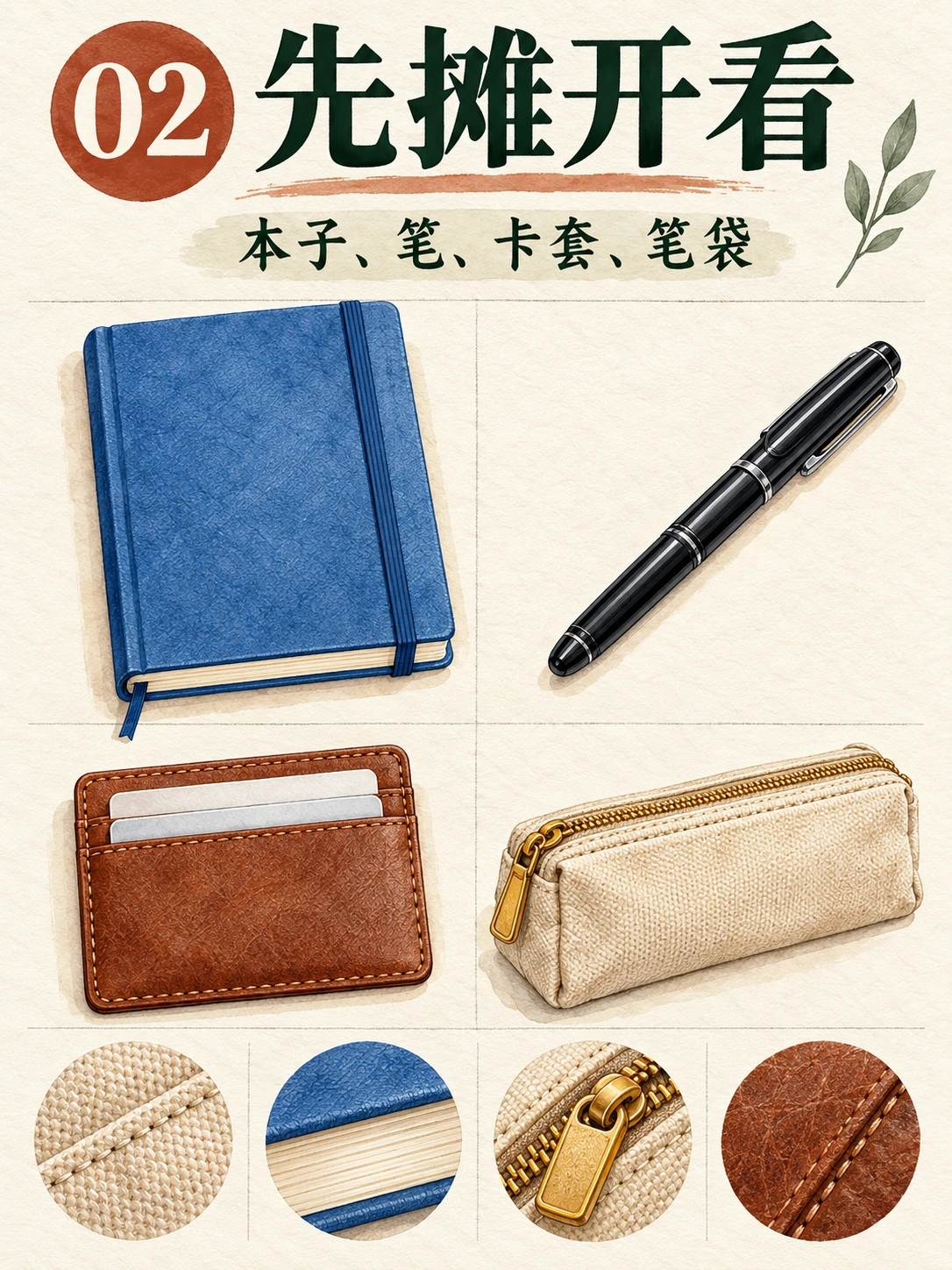
Codex-generated teaching page 02. Removing the bag from this view makes the four contents easier to identify.
Compare MemeGIF object designs with Page 01. Layout should change; notebook, pen, cardholder, and pouch identities should remain.
Page 03: show the pen’s destination
Append the storage brief:
Page number:
03

Heading:
笔和本子先配好

Supporting text:
把笔收入笔袋

Illustration:
Place the blue notebook beside the beige pencil pouch.
Show the pouch open, with exactly one black pen visible inside it.

Do not show another pen outside the pouch.
Do not include the tote or cardholder.
Keep the pouch design consistent with the earlier pages.
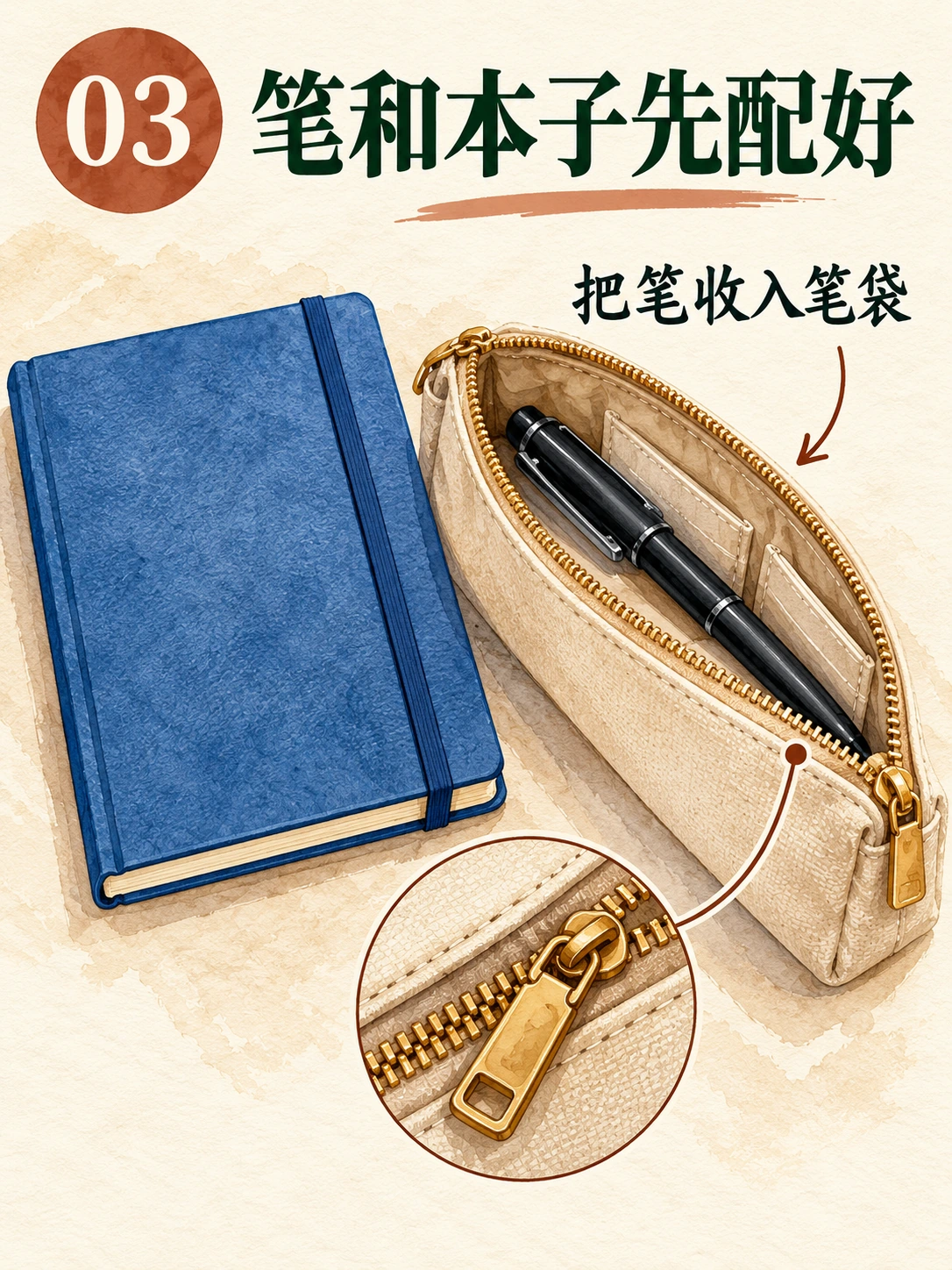
Codex-generated teaching page 03. The pen is inside the open pouch; it is not an additional loose item.
Check whether the MemeGIF image shows storage. A loose pen beside an empty pouch communicates a different action.
Page 04: explain the inner pocket
Append the pocket brief:
Page number:
04

Heading:
卡套留在好拿处

Supporting text:
放进内袋,方便取用

Illustration:
Show a close-up of the beige tote's single inner pocket.
Place the plain brown cardholder halfway into that pocket so its location and opening are clear.

The pocket must belong to the same tote, not be a separate pouch.
Do not add extra pockets, readable cards, personal details, or other contents.
The close-up may crop the outer bag where necessary.
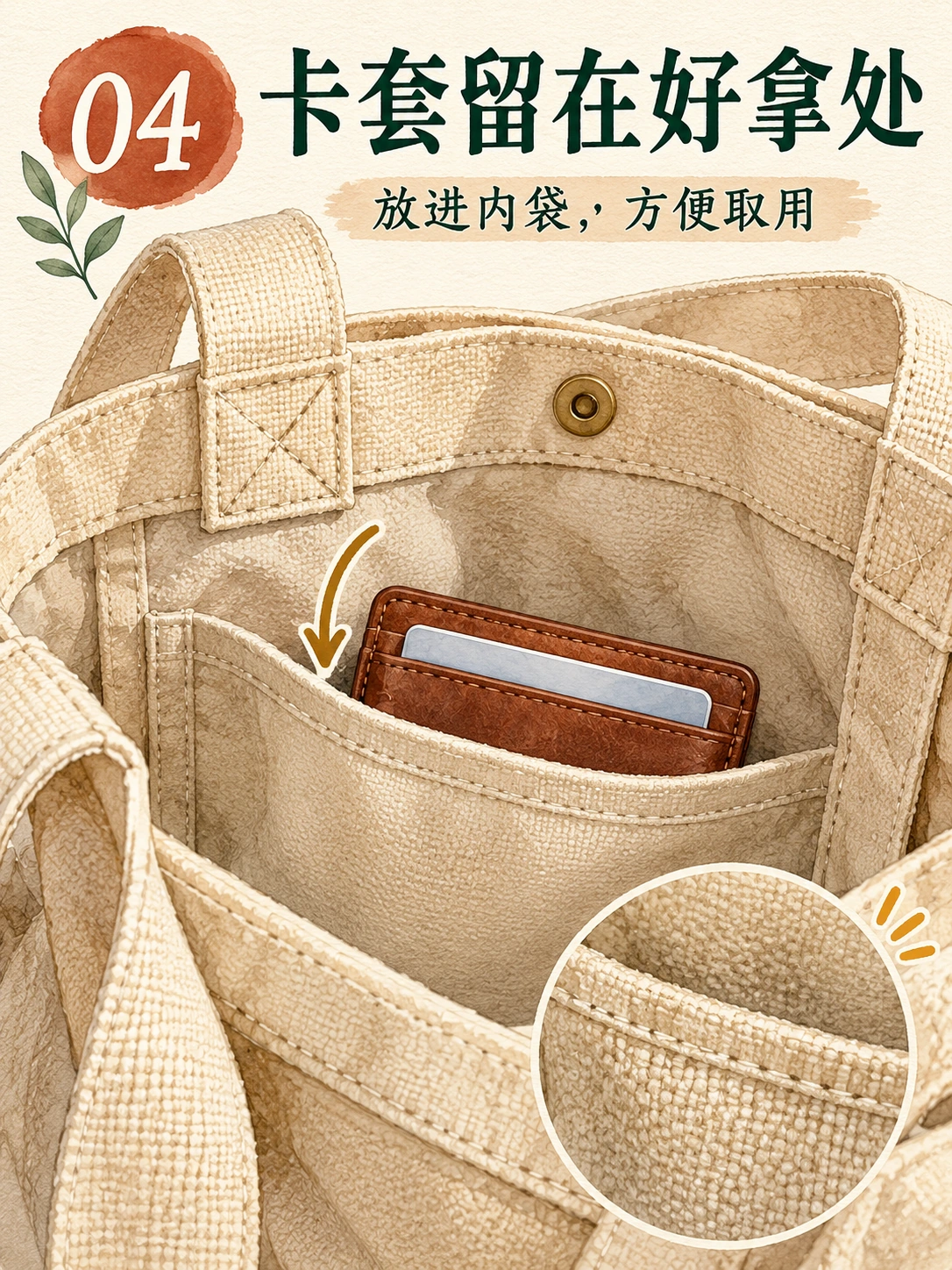
Codex-generated teaching page 04. The close-up identifies the cardholder’s intended storage location.
A close-up can omit handles. Check that MemeGIF depicts the established bag’s pocket and the cardholder inside it, rather than floating in front.
Page 05: show the packed state
Append the packed-state brief:
Page number:
05

Heading:
装好后的样子

Supporting text:
本子和笔袋放主袋,卡套放内袋

Illustration:
Show the beige tote open enough to inspect its contents.
Place the blue notebook and closed beige pencil pouch in the main compartment.
Place the brown cardholder in the single inner pocket.

The black pen is already inside the closed pencil pouch and must not appear separately.
Do not make the pouch transparent or add a loose pen to display all four items.
Retain the tote's two-handle, one-inner-pocket construction.
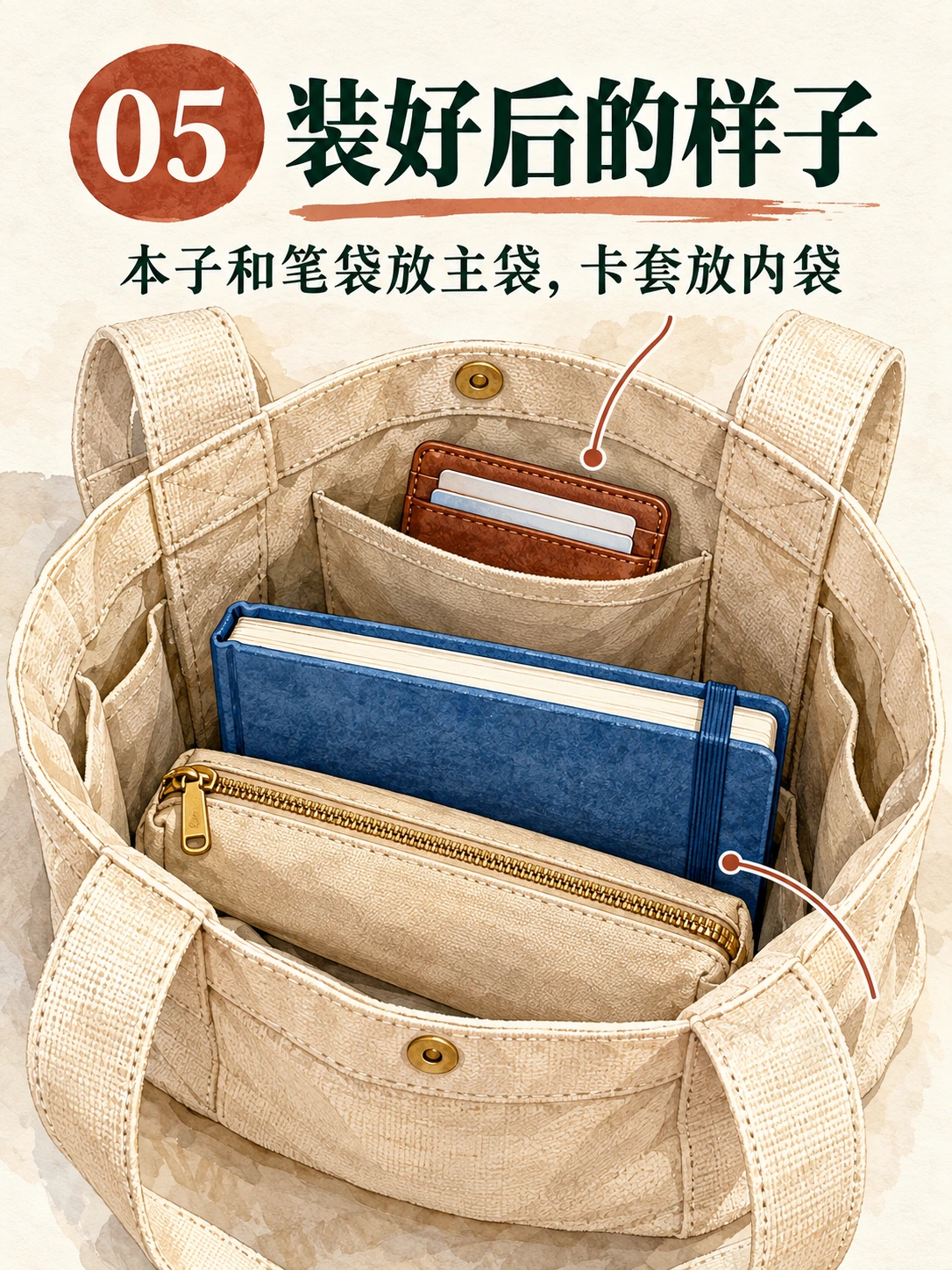
Codex-generated teaching page 05. The pen is represented as packed inside the closed pouch, not duplicated outside it. This is an arrangement illustration, not a capacity test.
In MemeGIF review, compare Page 05 with Page 03: the pen first occupies the open pouch, then becomes concealed when it closes.
Page 06: finish with a usable checklist
Append the checklist brief:
Page number:
06

Heading:
出门前再核对

Checklist labels, in this order:
本子
笔
卡套
笔袋

Footer:
按自己的需要增减

Layout:
Create four clearly separated checklist rows.
Give each row one square checkbox, its exact Chinese label, and one corresponding watercolor illustration.

Use a blue notebook for 本子, a black pen for 笔, a plain brown cardholder for 卡套, and a beige zippered pouch for 笔袋.

This is an inventory reminder, not another packed-bag view.
Do not show the tote or add a fifth row.
Keep the footer readable and inside the page margins.
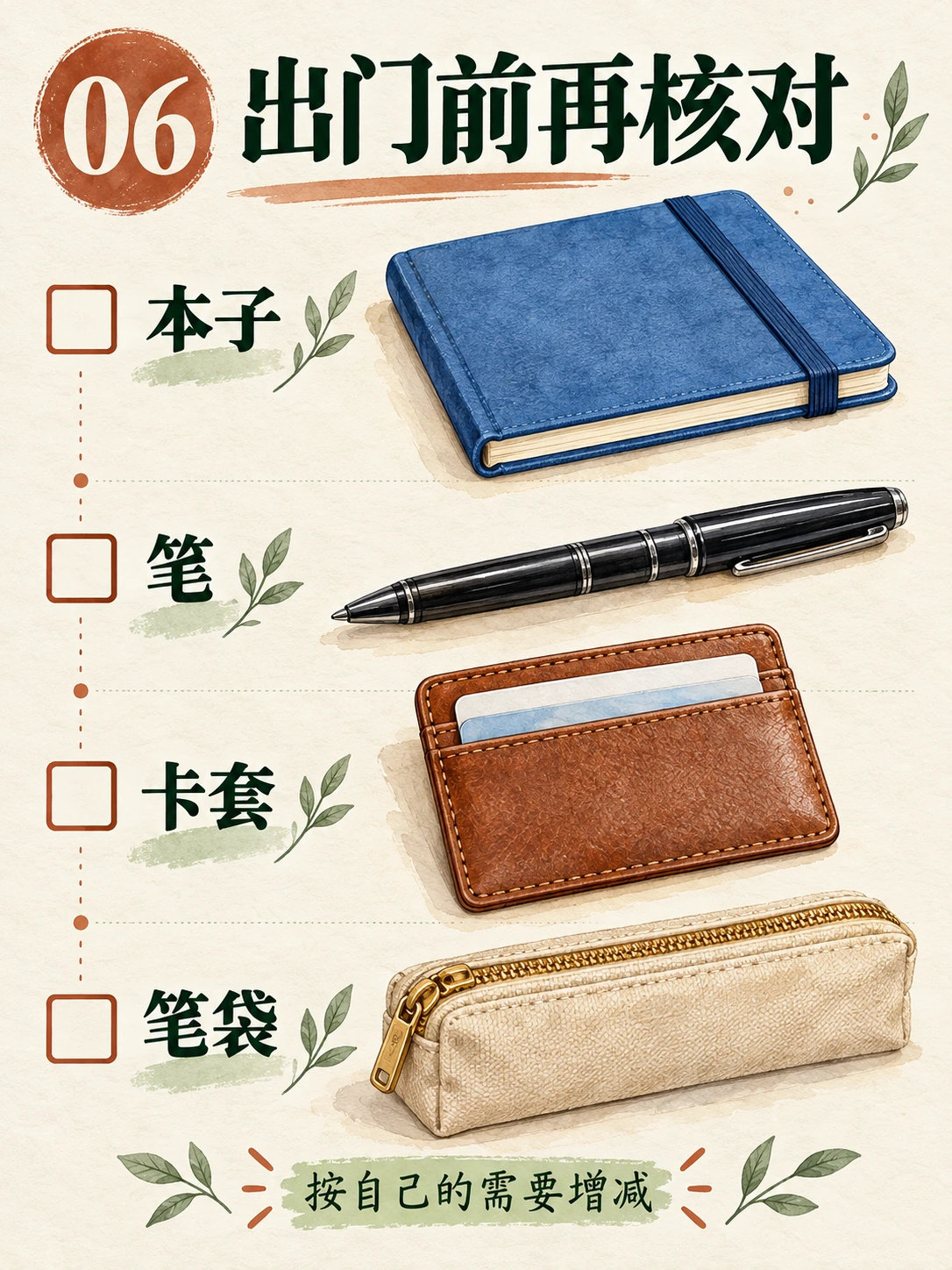
Codex-generated teaching page 06. The separate pen illustration is a checklist symbol, not a claim that a second pen has been packed.
Check MemeGIF row order, label-picture matches, and footer. The final line allows readers to adapt the inventory.
5. Use references without assuming the model remembers the series
Choose an acceptable cover or inventory page, then switch MemeGIF to Image to Image and carry the chosen objects into the next page.
Upload the accepted file, append the new brief, and confirm MemeGIF settings. Specify what carries over—objects and style—and what changes: copy, number, framing, and state.
Page 02 supplies separate objects for Page 03; Page 04 defines the pocket for Page 05.
MemeGIF needs the actual reference, not “same as before.” Even an attached image does not lock designs; compare the candidate with accepted objects.
Return to the last accepted reference if an MemeGIF pocket or pouch drifts. Reusing a flawed image spreads the mistake.
6. Check both individual pages and the sequence
Review MemeGIF exports in sequence, beyond folder thumbnails.
Content: MemeGIF Pages 03 and 04 explain placements. They should not repeat the cover inventory.
Object identity: Compare MemeGIF notebook, pen, cardholder, pouch, and visible tote construction for extra pockets, changed closures, or replacement designs.
Object state: MemeGIF Page 02 shows loose items; Page 03 stores the pen; Page 05 conceals it; Page 06 uses checklist symbols.
Chinese copy and numbering: Compare MemeGIF text character by character, including punctuation and leading zeros. Watch for an earlier reference heading surviving.
Margins and reading size: Compare MemeGIF spacing, title placement, and text size across files. Inspect on a phone; lettering that requires enlargement needs revision.
Seek consistent meaning and design rather than identical framing.
Repair the specific failure
| Problem | Next action |
|---|---|
| Page 03 has a pen inside the pouch and another beside it. | Remove the loose duplicate; retain the single pen inside. Recheck the notebook and text afterward. |
| Page 04’s pocket becomes a separate bag. | Return to the accepted tote reference and specify an inner pocket attached to that bag’s lining. |
| Page 05 shows a loose pen outside the closed pouch. | Request removal of that visible pen without changing the packed notebook, pouch, or cardholder. |
| The page number or Chinese text is wrong. | Request the exact replacement. If it remains unreliable, typeset the copy externally. |
| A correction changes previously accepted objects. | Reject that version and return to the saved baseline rather than accepting the new design by accident. |
| Every page looks like a cover. | Return to the page plan and rebuild the missing close-up, packed state, or checklist. |
For the MemeGIF Page 05 duplicate-pen error, use:
Edit the uploaded Page 05.

Remove any loose black pen visible outside the closed beige pencil pouch.
The single pen is already packed inside that pouch; do not reveal it or make the pouch transparent.

Keep the blue notebook and closed pouch in the main compartment, and the brown cardholder in the inner pocket.

Retain the exact text:
装好后的样子
05
本子和笔袋放主袋,卡套放内袋

Preserve the 3:4 layout, bag construction, and watercolor treatment.
Do not add objects or text.
MemeGIF targets the requested change without protecting other regions. Recheck the whole page.
Use real text when image editing is not precise enough
MemeGIF JPEG lettering is pictured text. Importing the image into a design app does not separate words and illustration into editable objects.
For persistent MemeGIF text errors, cleanly cover or remove wrong lettering and typeset externally. Use a font containing every required character, then compare with approved copy.
If cleanup fails, rebuild the illustration and text layout externally; retain that editable source.
7. Assemble six pages externally—not one six-cell poster
Assemble accepted MemeGIF pages in an external layout document to align presentation and inspect order.
Assemble and reorder pages in Adobe Express using Add page → Same size or Custom size. View all pages provides page management, including reorder and duplicate.
Use a common 3:4 canvas. Place each MemeGIF image without stretching artwork or clipping Chinese copy.
Imported raster pages remain images. Only separately rebuilt words and shapes become editable elements.
Deliver six separate image files from the MemeGIF set. A review document or contact sheet does not substitute for those pages or automatically split the artwork.
8. Export and verify the actual files
For MemeGIF JPEG exports, use filenames such as:
01-cover.jpg
02-inventory.jpg
03-pen-and-notebook.jpg
04-cardholder-pocket.jpg
05-packed-bag.jpg
06-checklist.jpg
Keep accepted originals and editable sources. Confirm six finished files, not five and a duplicate candidate.
Reopen all MemeGIF exports to check shared canvas size, numbering, complete text, and object state. Review phone and desktop readability, including supporting copy and checklist labels.
Filename sorting does not guarantee platform upload order. Inspect the actual publication preview for sequence, cover, cropping, and current requirements; file preparation alone does not verify them.
Keep the MemeGIF page plan alongside images. Describe an illustrated packing guide, without suggesting a personal product review, measured capacity test, or real study session.
Finish when six distinct, readable pages explain inventory and placement with no duplicate objects, missing instructions, or mismatched files.
Optional three-step grid workflow, including automatic splitting
Alternatively, use plan → generate → split and check. MemeGIF produces one grid image; an external editor or utility splits it. This is a separate workflow from independent pages.
- Plan: retain the six approved headings and page numbers. Choose two columns and three rows. To obtain 3:4 portrait cells, the complete grid must have a 1:2 width-to-height ratio.
- Generate: combine the shared style with all six page briefs. Explicitly request six equal cells in row-major order, no outer title, no decorative gaps, and no content crossing cell boundaries. Inspect the actual output; requested geometry is not guaranteed.
- Split and check: open the sheet in an external grid-splitting utility, select two columns and three rows, preview the crop lines, and export all six cells in one operation. Name them 01–06 and inspect every file at full size. If the generated gutters are uneven, adjust the boundaries manually or use the independent-page route.
An aligned 2160 × 4320 sheet would yield six 1080 × 1440 cells. This geometry example promises no MemeGIF preset or resolution. Each crop shares the sheet’s total pixels; splitting adds no detail.
The landscape cover presents the concept with a title and production strip. It is not an equal-cell splitting source; use a dedicated grid or individual teaching pages.