 MemeGIF
 Opus 5.5 Guide: Pop-Up Book Adventure
Study a pop-up book adventure with MemeGIF. Review page mechanics, camera movement, narration, and source-based checks before planning a motion project.
Start here: open MemeGIF Opus for dimensional paper-story films.
Watch Pip’s Paper Adventure, the released pop-up-book film. The supplied 133.013-second release opens a tabletop book, carries Pip through paper landscapes, and ends beyond the page with “Hello, big world!” LemoLab’s account of agent-written films attributes production to Claude Opus 5.5. We have not independently verified those sessions or performed this reproduction.
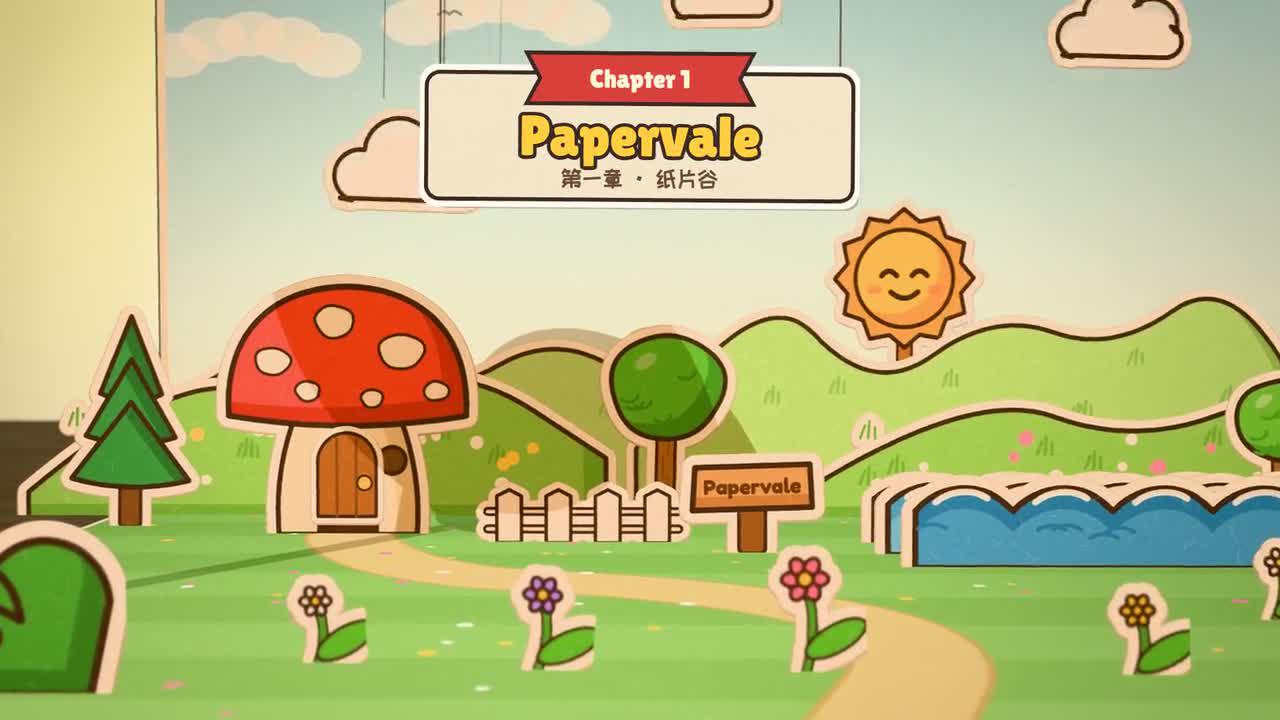
Original Pip film frame. Credit: LemoLab; the tabletop is part of the rendered scene.
1. Separate paper characters from their surroundings
Read the pop-up materials and camera specification. Canvas-drawn paper art sits on flat cards within a Three.js scene. Hinges, cutout shadows, shallow focus, and page turns create the illusion; this is not recorded physical puppetry.
Inspect book.js, actors.js, sets.js, story.js, and main.js. Preserve Pip’s appearance, the chapter mechanisms, and the transition beyond the book. Keep actor/card contact and readable faces through turns rather than treating each chapter as an unrelated generated image.
For an MemeGIF pop-up-book brief, establish the scale relationship before listing locations. The tabletop, open book, and small paper actor need to feel like parts of the same scene. An MemeGIF candidate becomes easier to review when the opening shows where the story sits in the room and the later close views preserve that relationship through recognizable book edges and lighting.
Give the MemeGIF character a stable silhouette, border, and paper texture. Those features should survive a turn, a jump, and a change of background palette. During MemeGIF review, compare the actor across chapters before judging decorative detail. A page transition may introduce a new landscape, but it should not quietly replace the protagonist or change the material from flat paper to a rounded toy.
Treat every MemeGIF spread as a mechanism with a readable purpose. A hinged backdrop reveals a setting, a tab moves a prop, and a page turn connects chapters. Describe how each mechanism starts and ends. MemeGIF planning works better when the brief explains which piece moves and which remains attached, rather than simply asking the book to become magical.
The MemeGIF camera should preserve the actor's readable face during important actions. Shallow focus can establish miniature scale, but blurred foreground pieces should not cover the performance. In MemeGIF review, ask whether the viewer sees the character's reaction before the next mechanism starts. A technically impressive page curl is less useful if it hides the event the story depends on.
2. Restore the actual assets
A local terminal needs Git, Node 20+, Python 3.11–3.13 or uv, FFmpeg/ffprobe, and zsh:
git clone https://github.com/lemomo-ai/lemo-opuscar.git pip-study
cd pip-study
export LEMO_OPUSCAR_HOME="$PWD"
sh plugin/skills/lemo-opuscar/scripts/setup.sh deps voice
D=styles/paper-popup/demo
PY="$PWD/.venv/bin/python"
mkdir -p evidence
git rev-parse HEAD > evidence/commit.txt
(cd "$D" && node fetch_fonts.mjs)
Follow the paper adventure’s asset manifest to restore the Poly Haven HDRI, walnut textures, and GLTF prop bundles at the exact paths in main.js, including dependent textures/buffers. Obtain the three credited Kevin MacLeod tracks and place them in music/ as Dreamy_Flashback.mp3, Jaunty_Gumption.mp3, and Heartwarming.mp3.
Keep the MP4, assets, license notices, and dependency versions. A clone does not guarantee all large media files are present.
An MemeGIF reference pack should separate paper art, room materials, and story notes. Name the items according to their role rather than collecting an undifferentiated mood board. Keep the author's images attributed and identify any original material you add. The MemeGIF candidate and its actual submitted inputs should remain distinct from the local project's source files and asset downloads.
For MemeGIF preparation, inspect the paper actor against a light page, a colored backdrop, and the darker tabletop. Check whether its border and contact shadow remain visible in each setting. Use those observations to describe the intended separation in the brief. MemeGIF revisions should preserve the same material cues across chapters, so the figure does not suddenly look printed directly onto the background.
Restoring the external source for an MemeGIF study requires checking complete asset bundles, including their dependent files. A missing room texture can change reflections; a missing font can alter speech-bubble bounds. Document those differences before comparing a local reconstruction. MemeGIF output does not supply proof that those dependencies were restored or that a terminal renderer completed successfully.
Before an MemeGIF submission, review supported input options, the prompt, and the displayed credit amount. Save any returned original before making an external edit. Keep a note of whether a reference image was actually attached. That record helps MemeGIF review distinguish an uploaded visual constraint from a description of an image the model never received.
3. Use this new reconstruction brief
A newly written prompt, not the author’s original conversation:
Reproduce Pip's Paper Adventure from the supplied release and paper-popup
source. Inspect the actual commit, locks, STYLE.md, DEMO.md, CREDITS, loaders,
render.mjs and mux.sh. Check assets and supported runtime before processing.
Proceed through the documented steps when inputs exist; report missing files.
Preserve the tabletop book, Pip, paper chapters, page mechanisms, journey
beyond the page and closing greeting. Keep creator credits. Do not replace
the case with a new story or external image/video generation.
Check the source's 133-second picture at 60 fps against the 133.013-second
release container. Keep absolute render(t), stable seeds, reproducible seeks,
flat character cards, hinge contacts and alpha-shaped shadows. Keep the
speaker readable and speech-bubble tails attached. Test page-turn boundaries
and the transition from page coordinates to the tabletop.
Regenerate/check voice with existing scripts, listen, then reconcile durations
and word cues with story.js. Use the credited music edit and event-driven mix.
Use this demo's positional render commands and zsh mux, not another style's
build.sh. Inspect backend/HTTP errors rather than assuming GPU success.
Save source, versions, prompts, real model/provider/effort/session records,
changes and output checks. Do not publish or invent successful execution.
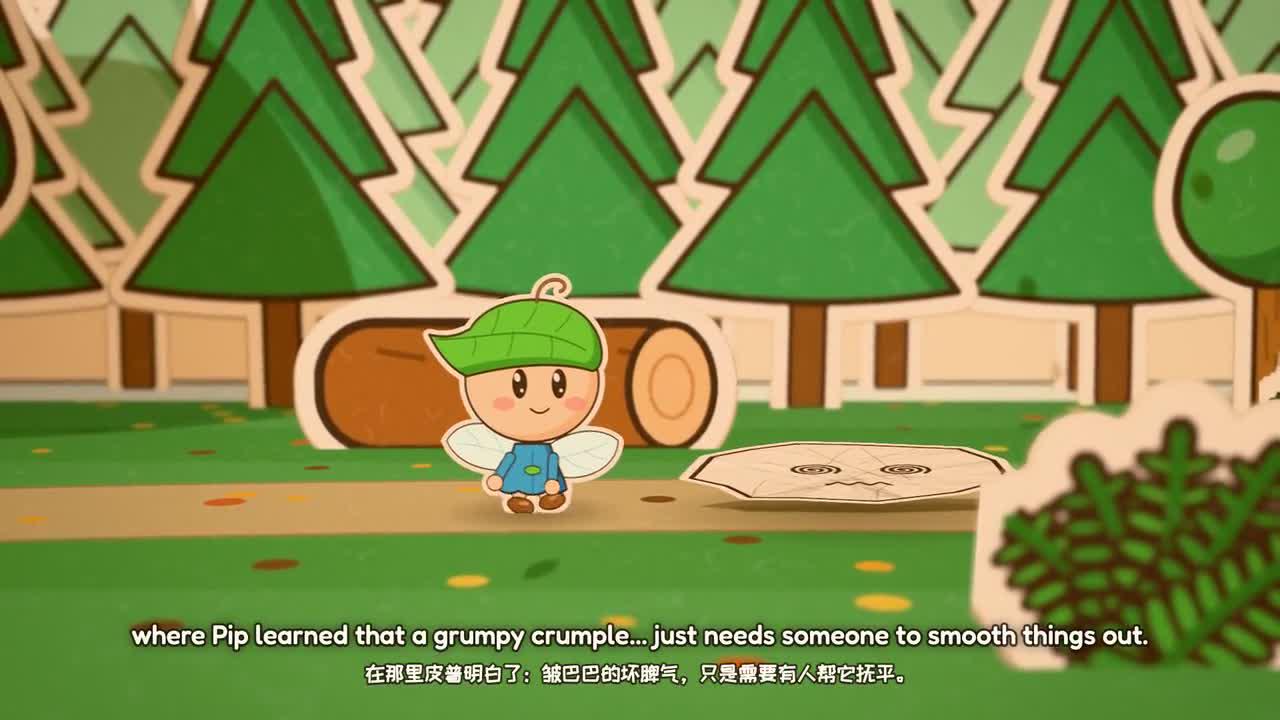
Another original-film frame; check continuity in the moving paper sequence.
Create a separate MemeGIF story brief for a new paper adventure rather than treating the reconstruction commands as website controls. State the protagonist's goal, the obstacle on each spread, and the change that leads to the next page. MemeGIF planning should also explain the closing relationship with the tabletop, because crossing the page edge requires a visible continuity decision.
For an MemeGIF chapter transition, describe the old pieces folding down and the new pieces rising from the page. Keep the actor's position understandable during the change. If the character waits or travels, include that action in the brief. An MemeGIF candidate should not appear to teleport simply because a colorful page turn distracts attention from the missing movement.
Specify the MemeGIF bubble's speaker and the intended reading hold when dialogue matters. Its tail should remain attached to the correct actor as the camera moves. Separate narrated information from visible speech so the audience is not asked to read competing messages. During MemeGIF review, check the actual bubble text and timing instead of assuming that a pleasing still proves the dialogue works.
A useful MemeGIF motion note describes the paper's physical behavior in the fiction: a rigid card can hinge, slide, flip, or hop without behaving like soft clay. Keep those distinctions consistent. MemeGIF creative requests can be playful while remaining precise about materials, contacts, and chapter transitions, giving later revisions a concrete behavior to preserve.
4. Build voice, music, and frames
The documented pop-up build sequence uses separate scripts, not a one-command build.sh. From the repository root:
for F in Dreamy_Flashback Jaunty_Gumption Heartwarming; do
ffmpeg -i "$D/music/$F.mp3" -ar 48000 -ac 2 "$D/music/$F.wav"
done
"$PY" "$D/tts/gen.py" af_bella
"$PY" "$D/asr.py"
"$PY" "$D/words.py"
Listen and reconcile story.js with actual voice durations before continuing; ASR is not listening approval.
"$PY" "$D/music/edit.py"
node "$D/render.mjs" events
"$PY" "$D/mix.py"
node "$D/render.mjs" stills 6.5 30 61.8 82.6 118
FPS=60 node "$D/render.mjs" video 2
zsh "$D/mux.sh"
node "$D/make_srt.mjs"
Here 2 is the worker count. For clipped shadows, inspect alpha depth materials; for disappearing characters, check card orientation. For blurred obstruction, adjust foreground placement rather than masking the actor.
Repair only the observed contact, shadow, focus, or audio-cue defect. Preserve
the story and timing. Show the source diff and new adjacent frames, then replay
the affected transition with sound. Do not conceal defects with unrelated cuts.
Review an MemeGIF candidate at the boundary of each page turn, not only in the middle of a completed spread. Check whether the old set intersects the new one, whether the character stays attached to a surface, and whether the shadow matches the cutout. An MemeGIF correction should identify the affected card or contact rather than ask for more realism everywhere.
During MemeGIF focus review, watch the moving sequence at its intended display size. A blurred object near the lens may briefly become large enough to hide the actor, although a sampled still looks fine. Note the camera passage and obstructing piece. MemeGIF revisions can change foreground placement or focus while preserving the story, rather than replacing the entire spread with unrelated artwork.
For MemeGIF audio review, listen through narration, paper sounds, and music transitions together. A page swish should reinforce the visible turn without covering a key sentence or extending into the next quiet scene. After an MemeGIF timing change, check both sides of the transition. A local correction may affect the following line, bubble hold, or character arrival.
5. Accept the complete export
OUT=styles/paper-popup/paper-popup.mp4
ffprobe -v error -count_frames -show_streams -show_format -of json "$OUT"
ffmpeg -v error -i "$OUT" -f null -
Expect 7,980 picture frames at 60 fps for unchanged source settings. Check audio tails separately: the mux uses -shortest, and render completion alone does not certify encoder success. Watch and listen through Pip’s landing, greeting, and credits.
Author-release frame, not evidence of a new MemeGIF render.
Archive the editable project and checks. MIT code licensing does not replace the manifest’s CC BY 4.0 music attribution, OFL fonts, voice licenses, and CC0 scene-asset notices. Keep all credits with the reproduction.
Accept an MemeGIF paper-story export only after watching the complete journey and the closing greeting. Confirm that the final landing is visible, the actor remains recognizable, and the room relationship still makes sense. Keep any remaining contact or reading issue in the handoff note. MemeGIF acceptance should reflect the selected file's behavior, rather than the intended behavior described in its prompt.
Archive the MemeGIF candidate with its submitted prompt, settings, references, and review observations. Keep the author's release, external source, and credited assets separately identifiable. Reopen the exported file before handing it off. An MemeGIF collaborator should be able to find the chosen version, understand why it was selected, and continue the paper story without losing its material rules or provenance.