 MemeGIF
 Opus 5.5 Guide: Living Screencast
Study a living screencast with MemeGIF. Review Clawd, terminal windows, the Claude App, and source timing while separating a reference study from a verified run.
Start here: open MemeGIF Opus for mascot-led interface films.
Watch Clawd Moves In, the author’s living-screencast release. Clawd leaves the terminal and enters the Claude app, acting through a walkthrough of prompting, Plan mode, diff comments, and self-checking. The author documents a 59.4-second unofficial fan film, not a captured customer session.
The creator’s code-filmmaking declaration attributes production to Claude Opus 5.5. Those model sessions have not been independently verified here. This article explains an existing author case, not a successful MemeGIF run. Local build commands require a separately configured terminal and coding agent.
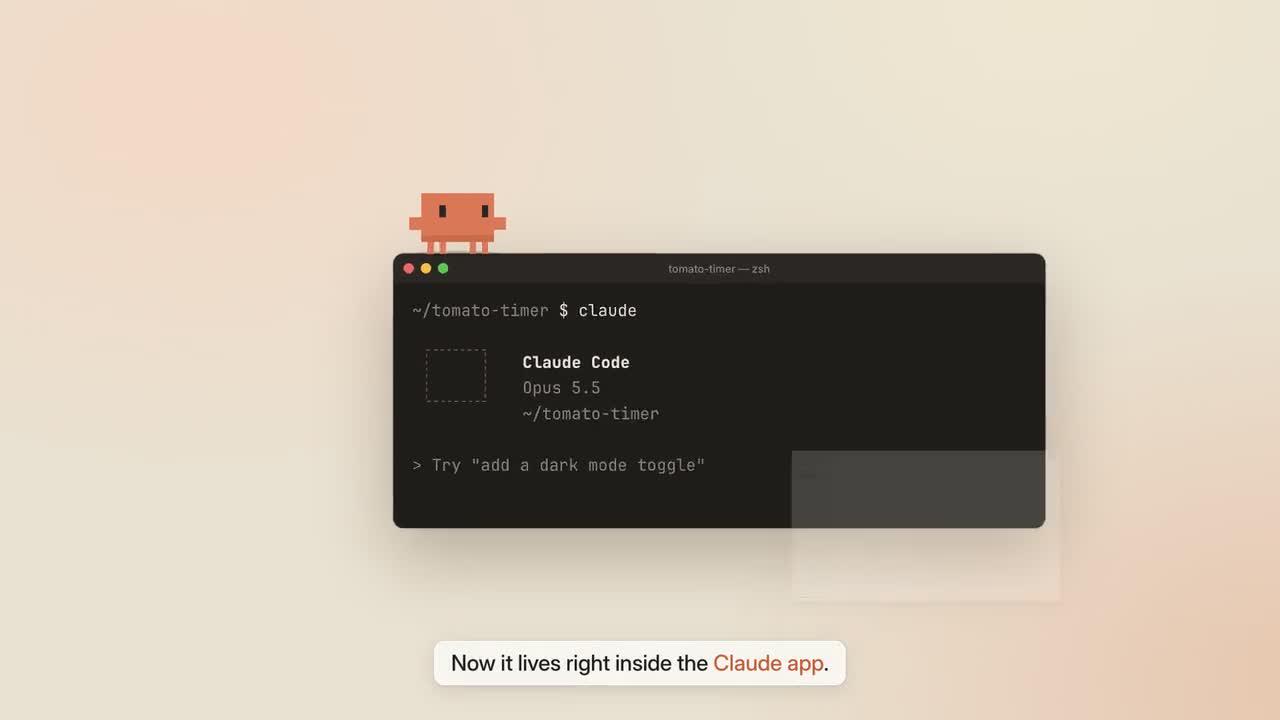
Original frame from Clawd Moves In. Credit: LemoLab. The author identifies this as an unofficial fan film.
1. Understand what “living screencast” means
The Living Screencast visual contract deliberately contrasts a low-resolution mascot with a high-resolution interface. Windows and controls are reconstructed in HTML/CSS/SVG; they are not screenshots. A cursor represents the user, while Clawd performs the software’s activity.
That distinction matters when reading the film. A displayed diff, passing check, or Plan label belongs to the authored demonstration. It does not prove that this website ran the pictured task or that every interface detail remains current. Consult current product documentation before adapting it into instructions for a live product.
In the Clawd case’s chapter notes, the mascot connects the chapters through continuous movement and cause-and-effect actions. Preserve that sequence; its test figures are demonstration content, not independently measured results.
An MemeGIF living-screencast brief should distinguish the user's input from the mascot's response. During MemeGIF review, trace both roles through the chapter. An early reaction or an outcome without a visible cause can obscure the walkthrough's logic.
For MemeGIF planning, assign each chapter an information goal before designing the mascot's gestures. Give the MemeGIF audience enough time to see the relevant control and outcome. The performance should direct attention toward the software behavior.
Keep current product instructions separate from this MemeGIF reference study of an authored interface. For a new MemeGIF walkthrough, verify the real interaction independently and document the product version. An animated panel alone does not establish live application behavior.
2. Inspect the editable scene before installing extras
Read demo/film.js for timing, ui.js for interface states, clawd.js for the sprite, and main.js for camera, DOM measurements, and overlays. The mascot’s contact positions are derived from interface geometry. Hard-coded landing coordinates can drift away when a window or camera changes.
For this MemeGIF source study, preserve the published MP4; label separate local previews as reproductions.
Conditional Mac preparation: install Git, Node 20+, FFmpeg/ffprobe, and Python 3.11–3.13 or uv. Use a fresh clone or an existing reviewed copy:
git clone https://github.com/lemomo-ai/lemo-opuscar.git clawd-case
cd clawd-case
export LEMO_OPUSCAR_HOME="$PWD"
sh plugin/skills/lemo-opuscar/scripts/setup.sh deps voice
for BANK in salamander freepats karoryfer vcsl vsco2ce; do
sh tools/fetch.sh instruments "$BANK"
done
mkdir -p evidence
D=styles/living-screencast/demo
git rev-parse HEAD > evidence/clawd-commit.txt
npm ls --depth=0 > evidence/clawd-dependencies.txt
These banks cover the credited instruments. Retain notices and the package lock; no installation or render is claimed here.
Prepare an MemeGIF interaction map that names the starting state, user input, visible response, and resulting state. Compare it with the source scenes before changing their composition. MemeGIF review can then distinguish a purposeful transition from a missing step, particularly when the camera moves between panes and the mascot's position competes for attention.
For an MemeGIF visual reference, preserve the contrast between crisp character pixels and readable interface text. Inspect MemeGIF candidates at their intended screen size, including small controls. A close-up should reveal a detail while keeping the walkthrough's spatial relationships coherent.
Keep the MemeGIF candidate, exact submitted prompt, and any attached reference together. Store the author release and external code study separately. This allows an MemeGIF collaborator to evaluate the website result without assuming that its displayed interface states were executed as real tasks. A good-looking test panel is still part of the film unless independent execution evidence exists.
3. Use a new reproduction prompt
This prompt is newly written for the tutorial, not recovered from the author’s original session:
Reproduce and analyze Clawd Moves In from the living-screencast demo source.
Inspect the current commit, locks, STYLE.md, DEMO.md, CREDITS, core APIs,
and demo/build.sh. Read the author MP4 and actual local files first.
Keep it an attributed unofficial fan-film reproduction. Do not claim the
reconstructed UI is a real recording or that its tests ran on MemeGIF. Preserve
Clawd's terminal-to-app journey, the existing chapters, and coherent demo data.
Report discrepancies with current product documentation without inventing new
features. No replacement stock footage or external image/video generation.
Inspect film.js, ui.js, clawd.js, main.js, voice files, word timings, and sound.py.
Explain the dependency plan and source duration/fps before building. Use the
source's 59.4 seconds and 30 fps only after checking them.
Keep crisp pixel-grid acting, a smoothly moving cursor, and a continuous camera.
Measure DOM anchors so Clawd lands on real element edges. Reserve text-free
space for the mascot and captions. Derive all scene state from absolute time;
reverse and arbitrary seeks must reproduce the same state in this environment.
If speech is regenerated, review every line and its word times before relying
on W(id, word) cues. Preserve original credits and fan-film disclosure. Use the
actual build/export interfaces. Save model/provider/effort logs, prompts,
modifications, frame checks, and the full output. Do not publish or report
an untested reconstruction as successful.
Check the event order before building the external MemeGIF reference study. Mascot movement should direct attention without competing with readable text.
Second original-film frame. Read it as part of a reconstructed software walkthrough, not evidence of an actual coding session.
Write a new MemeGIF creative brief around the product journey you actually want to explain. Name the relevant panes, the actor's role, and the key interaction in each chapter. Use the supplied reconstruction prompt for studying the external reference. The MemeGIF request should describe a motion result within the visible workflow rather than promise execution of source files or terminal tests.
An MemeGIF mascot action needs an observable destination: an edge, object, or control. During MemeGIF review, check that contact remains believable through camera movement. A missed landing can direct attention away from the software operation.
Specify reading time in the MemeGIF brief by identifying the message that must be understood before movement resumes. A fast camera move can introduce a pane, but the following hold should let the audience read its important state. MemeGIF revisions can simplify captions or adjust pacing while preserving the chapter's interaction, rather than add more overlays to explain a confusing composition.
4. Build with the correct voice option
The living-screencast build entry supports --vo to regenerate and recheck narration:
sh styles/living-screencast/demo/build.sh --vo
Use this option when you need to regenerate narration. Without --vo, the script expects usable existing voice assets. It exports events, builds sound, renders at 30 fps, muxes the MP4, writes subtitles, and creates selected stills. Its checked source uses six capture workers; changing concurrency requires a documented edit, not an invented command-line flag.
Regeneration can change speech timing in the MemeGIF source study. Listen for the product name and keep keypress sounds away from word onsets. Check narration, caption holds, and mascot arrivals together; a transcript match does not prove the mix is intelligible. The source connects visual cues to spoken-word timing and sound events.
During MemeGIF synchronization review, follow the spoken instruction, cursor action, visible state change, and mascot reaction in order. They should reinforce the same event. Record where a reaction precedes the action or a caption names the wrong state. MemeGIF corrections are easier to evaluate when they target that relationship rather than ask for faster or smoother motion across the entire film.
Listen to an MemeGIF candidate without watching once, then watch with the audio restored. The narration should remain intelligible through typing, interface sounds, and musical changes. Check whether a sound cue helps locate the action or merely adds noise. MemeGIF audio review should protect important words and preserve the quiet holds that let a viewer understand the result.
Check the MemeGIF chapter transitions in continuous playback, including any theme change or pane split. A still can hide a brief unreadable state or a character that jumps unexpectedly. After an MemeGIF timing revision, inspect the previous chapter's closing state and the following chapter's opening state together. Both need to remain coherent for the walkthrough to make sense.
5. Inspect contact and reading time
node core/render/still.mjs "$D" 0 8.9 23 32 40.9 56 \
--out evidence/clawd-stills
For the MemeGIF source study, use these source-based sampling points, then inspect adjacent frames around each actual takeoff, landing, menu opening, and pane transition. View the whole film too: stills cannot show a teleport or an effect masking speech.
Fix only the observed contact, overlap, blur, or timing defect. Re-measure the
DOM anchor rather than nudging Clawd by eye. Preserve the product demonstration
and duration. Keep readable text sharp, clear the caption lane, and move foley
off important words. Show code changes and fresh boundary frames, then replay
the affected chapter with sound. Do not claim a fix passed without checking it.
In the MemeGIF source study, if a scene changes after backward seeking, investigate accumulated state or missing resets. If fonts are absent, restore the credited files before judging layout. Do not cover a faulty transition with unrelated B-roll.
For MemeGIF contact review, compare the mascot's feet or resting edge with the interface geometry throughout the relevant movement. A believable landing can drift after a panel resizes. Mark the interval where contact breaks. An MemeGIF revision should preserve the intended anchor and the surrounding readable control rather than move the character to an unrelated decorative surface.
Inspect the MemeGIF cursor separately from the mascot. The input action needs a visible destination, while the character's movement should guide attention toward the resulting change. If they overlap at the crucial moment, revise the staging. MemeGIF candidates should let a viewer distinguish an actual pictured click from a playful actor gesture without relying on the written production notes.
Keep MemeGIF correction feedback tied to observed behavior: text blurred during a hold, a body covering a menu item, or a landing that misses its edge. Save a frame reference and expected result. Then compare the MemeGIF revision with the prior version, checking unchanged chapters too. Improving one interaction should not silently alter the software journey demonstrated elsewhere.
6. Check the export and its rights
ffprobe -v error -count_frames -show_streams -show_format -of json \
styles/living-screencast/living-screencast.mp4
ffmpeg -v error -i styles/living-screencast/living-screencast.mp4 -f null -
An unchanged 59.4-second, 30 fps picture implies 1,782 frames. Verify actual output metadata, complete narration, captions, and the closing fan-film credit. The downloadable web file may have different encoding settings from a fresh source render; do not claim a byte-identical reproduction.
Additional frame from the published Clawd film. Preserve creator credit and the distinction between animated interface and live operation.
Save the editable source, dependency records, prompts, changes, and reviewed output. Lemo’s MIT code license does not relicense Anthropic’s character/interface identity or the music samples. The Clawd film’s attribution sheet lists OFL fonts, CC BY piano/drum samples, CC0 material, and the unofficial status. Keep the required notices rather than presenting this fan film as an official product endorsement.
Accept an MemeGIF walkthrough after a continuous viewing that establishes the input and outcome of each chapter. Keep invented demonstration data identifiable and avoid presenting an animated passing check as execution evidence. The MemeGIF handoff should state which file was selected, how its interactions were reviewed, and which questions still need a real product check outside the film.
Archive the MemeGIF prompt, settings, inputs, selected export, and review notes with clear provenance. Preserve the author's film and local source study as distinct references. A future MemeGIF editor should be able to identify the intended control, mascot contact, and reading hold without reconstructing the entire conversation. Those records help maintain a coherent walkthrough when the product or visual theme changes.
Reopen the MemeGIF exported file and inspect the closing chapter, final phrase, and sound tail. Check that captions remain readable and the character's last action completes. The MemeGIF result is ready for handoff when the actual file communicates the intended journey, its limits are recorded, and the source's unofficial status remains clear wherever that reference is reused.