 MemeGIF
 Opus 5.5 Guide: Exploded Blueprint Motion
Study an exploded engineering blueprint with MemeGIF. Trace the fictional machine, component staging, labels, and motion checks to the supplied reference source.
Start here: open MemeGIF Opus for animated invention drawings.
Watch Patent Pending: The Cloud Catcher, the author’s blueprint film. The supplied 46.667-second release draws, assembles, and separates an imaginary machine before a revision cloud becomes rain. The creator’s code-production account attributes the collection to Claude Opus 5.5. We have not independently verified those sessions or reproduced this film; local commands require a separate terminal.
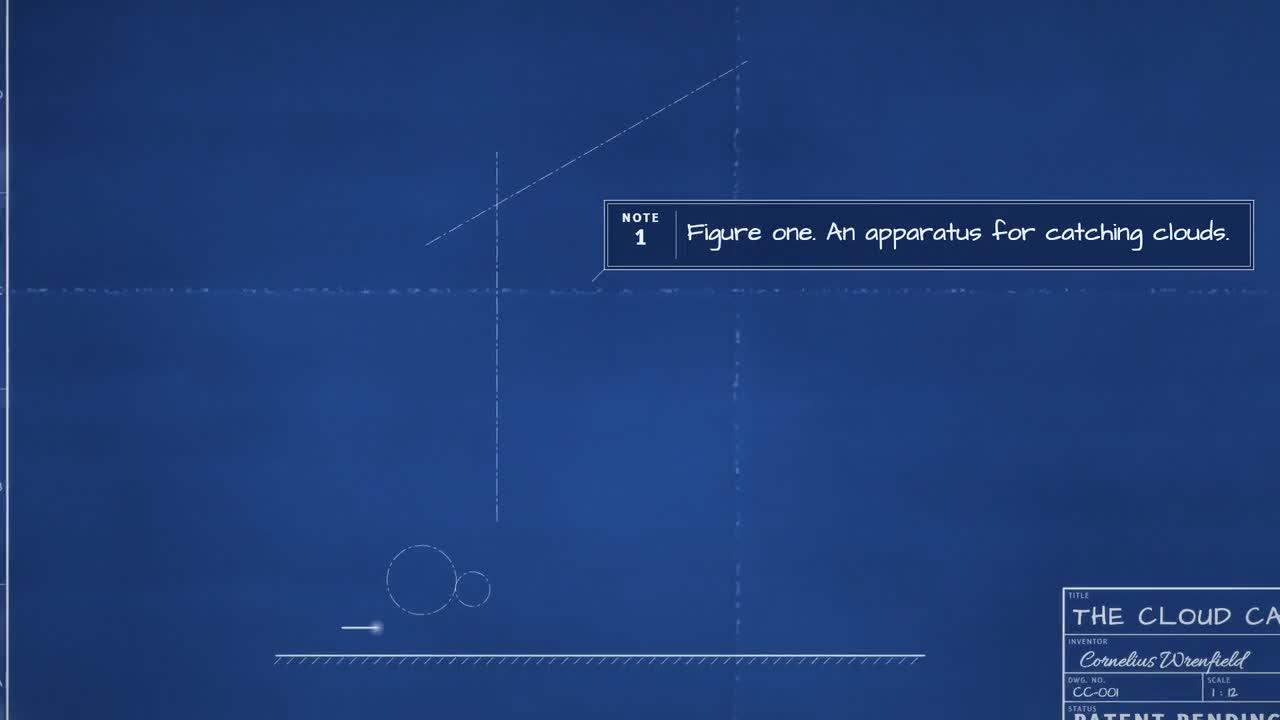
Original Cloud Catcher frame. Credit: LemoLab. The invention is fictional.
1. Keep the drawing language intact
Use the Cloud Catcher as a reference for an MemeGIF motion brief, or study its separate code project locally. Decide which deliverable you need before starting. An MemeGIF draft can explore a drawing sequence; rebuilding the published release requires the author's files, assets, and external rendering environment.
For an MemeGIF concept, write down the causal chain before choosing visual polish: the device is introduced, components separate, the machine operates, the missing cloud creates a problem, and the revision changes the outcome. An MemeGIF draft should communicate that progression even when viewed without the reference soundtrack.
Identify the imagined machine's main body, moving assembly, and target area in your MemeGIF brief. Give each component a recognizable role instead of scattering attractive gears around the sheet. During MemeGIF review, follow whether the same assembly remains identifiable as the drawing grows and the camera changes framing.
An exploded view should reveal relationships. For MemeGIF planning, decide which parts move away and which anchors remain, then check the return as carefully as the separation. An MemeGIF animation that makes parts disappear behind lettering may look busy while failing to explain how they fit together.
Treat line work and paper as a visual system in MemeGIF, without claiming measured engineering. Contrast should distinguish the machine from background texture, and annotations should remain subordinate to the action. Review MemeGIF close-ups for readable component boundaries rather than rewarding elaborate hatching that obscures moving parts.
Keep the fantasy turn understandable in an MemeGIF version. The revision symbol becomes part of the story; it should not resemble an unexplained change of scene. Compare the proposed MemeGIF ending with the opening so the viewer can see which problem was resolved and what remains deliberately imaginary.
Read the cyanotype blueprint style rules. White drafting lines, hatching, dimensions, and numbered leaders inhabit blue paper. This is two-dimensional drawing, with a WebGL compositor for paper and effects—not a three-dimensional engineering simulation.
The source follows drafting order: centerlines, outlines, details, hatching, dimensions, and labels. Oblique projection and exploded offsets create depth without changing that language. The machine’s moving parts express the story; a convincing gear drawing is not proof of a working invention.
The case’s scene and sound notes describe an initial failure, a revision, and a fantasy payoff. Preserve that distinction. Do not turn the fictional inventor, drawing dates, or patent-style title block into historical or legal claims.
2. Prepare source, fonts, and sound
Separate the reference archive from your MemeGIF project and any external source checkout. Save provenance for the film and frames, then keep original files unchanged. MemeGIF project versions are useful for your own revisions; they do not serve as evidence that the author's published film was regenerated successfully.
Review external setup instructions before following them. The commands below prepare a different software environment from MemeGIF, with dependencies and asset requirements of its own. This article reports a source review, not a completed installation. If a local requirement is absent, identify it instead of presenting an MemeGIF preview as a substitute.
The local build includes a soundtrack pipeline. MemeGIF's current motion workflow produces a silent visual project, so plan sound as a separate deliverable when needed. Do not tell an MemeGIF prompt to recover the author's voice or sample library and assume those materials have been supplied or cleared.
Keep a short production record for the MemeGIF brief: supplied references, intended story, chosen format, accepted version, and remaining defects. For an external rebuild, record the repository revision and resolved environment separately. These records answer different questions and should remain distinguishable when you hand over the work.
Use Git, Node 20+, FFmpeg/ffprobe, and Python 3.11–3.13 or uv. Keep the reference MP4 separate and work in a fresh clone:
git clone https://github.com/lemomo-ai/lemo-opuscar.git cloud-study
cd cloud-study
export LEMO_OPUSCAR_HOME="$PWD"
sh plugin/skills/lemo-opuscar/scripts/setup.sh deps voice
sh tools/fetch.sh instruments vcsl
sh tools/fetch.sh instruments vsco2ce
D=styles/blueprint/demo
mkdir -p evidence
git rev-parse HEAD > evidence/commit.txt
Inspect draw.js, paper.js, machine.js, sheet.js, and film.js. Confirm fonts, voice model, and sample banks; retain lockfiles and resolved package versions. These are executable reader instructions, not a report that this environment has passed.
3. Paste this new reproduction prompt
The complete prompt below is for a separate coding workflow. For MemeGIF, adapt its visual intent into a shorter motion brief using the controls actually available. MemeGIF duration and aspect-ratio choices need to fit your new project rather than inherit the published reference's longer running time automatically.
Start an MemeGIF concept with the drawing's introduction and a clear component relationship. Choose Sketch when you need to inspect the proposed composition before a motion revision, or Motion for a timed draft. Review the selected MemeGIF settings and displayed credit amount before submitting; this article promises no fixed generation cost.
If the full reference arc will not fit the selected MemeGIF duration, reduce the brief to a coherent excerpt, such as separation and return. Keep the omitted material explicit in your project notes. A shorter MemeGIF study should not be labeled as a faithful reconstruction of the complete author film.
Prepare exact wording for any essential labels before requesting an MemeGIF project. Inspect spelling and overlap afterward instead of assuming a technical-looking title block proves correctness. MemeGIF can help explore presentation, but the user must still judge whether the labels actually describe the intended parts and sequence.
Use the new prompt as a review contract for the external reconstruction, without treating it as the author's original conversation. An MemeGIF brief should likewise identify its own origin. Preserve the distinction between reference analysis, newly requested changes, and actual observed results whenever describing how the MemeGIF version was made.
Newly drafted—not the author’s original prompt:
Reproduce Patent Pending: The Cloud Catcher from the supplied release and
blueprint demo. Inspect commit, locks, STYLE.md, DEMO.md, CREDITS, core APIs,
build.sh, and actual assets. Identify missing requirements, then follow the
documented sequence without unnecessary approval checkpoints.
Keep the fictional machine and its drafting, assembly, exploded view,
operation, revision-cloud/rain payoff and closing title block. Preserve
author attribution. Do not describe it as a patented machine, measured
engineering design, real weather intervention, or 3D simulation.
Trace motion, camera, subtitles and sound to film.js. Check its 24-fps,
1120-frame timing rather than multiplying the rounded DEMO duration.
Maintain 2D projection, paper-anchored texture, readable line weights,
attached leaders, consistent gear phases, and clearance from the header.
Use absolute render(t) and deterministic states. Test forward, reverse and
arbitrary seeks. Verify exploded parts return coherently and the magical
revision remains distinguishable from engineering notation. Listen to
regenerated narration and compare captions with actual sound.
Use the existing build script, inspect errors, and check actual MP4 metadata
and decoding. Save complete source, prompts, model/provider/effort/session
records, dependency versions and human edits. No external generated footage,
invented successful tests, publishing, or substitution of another story.
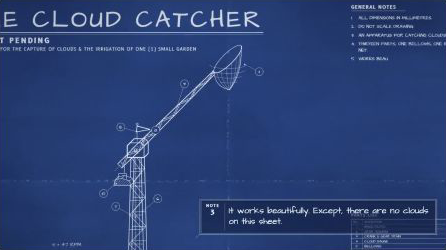
Second original-film frame; assess moving mechanisms in the complete sequence.
4. Build and inspect actual transitions
Inspect the MemeGIF project across the entire movement rather than approving a sharp poster frame. Follow separation, hold, return, and payoff in sequence. MemeGIF review should include the moments between these states, where parts can cross labels, reverse direction unexpectedly, or lose their relationship with the main body.
For MemeGIF annotations, follow a leader from label to intended component while the part moves. A line that points correctly at the beginning may detach later. Compare an MemeGIF correction against the accepted version so a repaired connection does not introduce another overlap or change the part being named.
When the camera moves in an MemeGIF study, check both framing and legibility. Long assemblies need room during separation, while close views should retain enough surrounding structure to explain their role. An MemeGIF crop that hides the crucial connection is a storytelling problem even if individual lines look clean.
Write a focused MemeGIF revision around the observed defect: which part, which transition, and which accepted relationships must remain. Save the earlier version before requesting it. After the MemeGIF revision, compare the entire sequence, since a localized instruction does not guarantee that all other timing and geometry stayed unchanged.
A successful external render command answers whether files were produced, not whether the drawing reads clearly. Keep that distinction in MemeGIF review too: a playable preview can still contain collisions or incorrect lettering. Watch the exported MemeGIF file rather than relying exclusively on the editor's appearance or completion status.
When repeated MemeGIF revisions damage a previously clear mechanism, return to the accepted version and simplify the motion. Remove an unnecessary camera move before adding more detail. A restrained MemeGIF study with understandable separation and return is easier to assess than a complicated sequence whose connections cannot be followed.
The blueprint build script creates narration, subtitles, events, score, and mix, then renders at 24 fps with three workers and muxes the result:
sh "$D/build.sh"
node core/render/still.mjs "$D" 7 15.4 18.5 31 40 46 --out evidence/cloud-frames
OUT=styles/blueprint/blueprint.mp4
ffprobe -v error -count_frames -show_streams -show_format -of json "$OUT"
ffmpeg -v error -i "$OUT" -f null -
Inspect adjacent frames around part separation, return, and the rain transition. If an exploded part crosses a label, correct its path or layout. If lines become too thick in close-up, inspect zoom-dependent line weights. Missing fonts or WebGL errors need correction before visual acceptance.
Fix only the observed collision, leader, line-weight, or timing defect.
Preserve the fictional story and source duration. Change the responsible
geometry/layout/cue, show the diff and adjacent frames, then replay with sound.
Do not hide broken connections behind a cut or claim untested fixes passed.
5. Verify the finished drawing
For an MemeGIF delivery, reopen the exported motion file and compare it with the selected project version. Check framing, labels, line contrast, component order, and final hold. Document whether any soundtrack was added externally; the MemeGIF visual export itself should not be described as reproducing the author's complete sound mix.
Keep the published reference, your MemeGIF draft, and any locally rebuilt output under distinct names. Include a plain-language note describing the purpose of each file. Recipients should be able to identify whether they are reviewing an MemeGIF concept, an attempted source reproduction, or the unchanged author release.
Approve the visual study when the machine remains recognizable, its components separate and return coherently, and the fantasy revision communicates the intended change. Retain unresolved issues in the handoff. A clear acceptance record helps the next editor continue the work without mistaking a promising preview for a completed engineering explanation.
The source timeline resolves to 1,120 frames at 24 fps, approximately 46.667 seconds. Check the actual output, including dimensions, voice clarity, caption holds, intended silence, and final title block. Full decoding cannot establish mechanical readability; watch the entire film and compare repeated seeks.
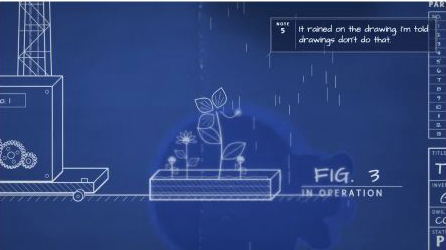
Additional author-release frame. Retain LemoLab attribution.
Save the complete editable project and review record. Lemo’s software is MIT; the Cloud Catcher’s separate asset notices identify OFL fonts, voice components, and CC0 instrument samples. Preserve those licenses and the fictional-invention context rather than presenting this reproduction as an original industrial design.