 MemeGIF
 Opus 5.5 Guide: Best Picture Timeline
Study the illustrated Best Picture timeline with MemeGIF. Inspect the reference source, timing, captions, and history checks before planning a motion project.
Start here: open MemeGIF Opus for cinema-history timelines.
Watch OPUSCAR 98, the published illustrated retrospective. The supplied web MP4 measures 391.424 seconds—6:31.424; the author’s feature presentation now gives a matching rounded length. The 6:25 description retained in the full prompt below is outdated: update that reference to the current source when using the brief, and preserve the actual container duration rather than retiming the file. LemoLab attributes its code-made films to Claude Opus 5.5; neither those model sessions nor an MemeGIF reproduction has been independently verified here.
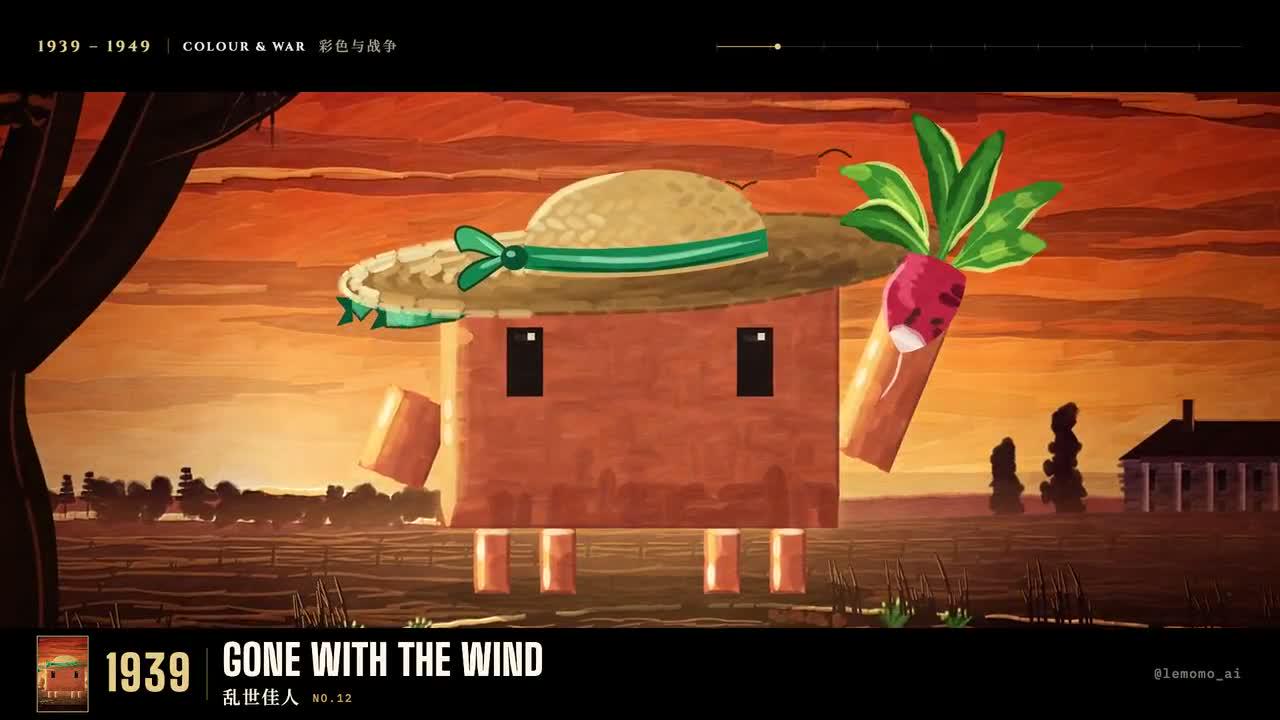
Original OPUSCAR 98 frame. Credit: LemoLab.
1. Locate the project, not an invented style folder
Use this reference to plan an MemeGIF cinema-history study, or pursue an independent local reconstruction. Choose the deliverable explicitly. An MemeGIF concept can explore the relationship between captions, illustrations, and motion; reproducing the feature's complete chronology requires evidence and external work that a short prompt cannot replace.
For an MemeGIF brief, distinguish a historical timeline from a montage inspired by cinema. A timeline makes factual claims through its ordering and labels, while a mood sequence may simply explore visual treatments. Decide which you intend before writing an MemeGIF prompt, so viewers are not asked to infer history from decorative imagery.
Treat the absence of the original project as an evidence boundary. Do not describe an MemeGIF version as recovered source, and do not infer missing build files from neighboring examples. Keep your MemeGIF instructions, newly authored reconstruction code, and source-review notes separate from files actually supplied by the creator.
A useful MemeGIF adaptation can focus on a selected chronological excerpt rather than condense the complete release beyond readability. Record what you omitted and why. The resulting MemeGIF study should identify its scope instead of suggesting that every winner, chapter, and timing cue from the reference is present.
The gallery builder’s feature-source note explicitly places this film in promo/, which is not included in the repository. There is no styles/opuscar98/STYLE.md or verified public one-command rebuild for this feature.
An exact source rebuild requires that original project. The route below instead reconstructs the published film’s chronology using public Lemo tools, clearly labeled as a reconstruction. Its newly written files must never be presented as recovered author code.
2. Map the actual film and check the winners
Create a plain-text evidence record before generating an MemeGIF timeline. For each intended entry, retain the visible title, proposed label, source used for verification, and any conflict. MemeGIF may help arrange the material visually, but factual verification remains a separate task rather than an inferred property of the design.
Keep release year and ceremony year in distinct fields while planning the MemeGIF sequence. Decide which appears on the card and state that convention consistently. An MemeGIF animation can look chronological even when mixed date conventions silently move an entry into the wrong place; attractive transitions do not resolve the discrepancy.
When a title card is unreadable in the reference, record that uncertainty before building the MemeGIF brief. Consult the documented awards record and compare the surrounding sequence without inventing a missing title. Do not fill a gap merely because the MemeGIF layout would look more balanced with another entry.
Separate historical data from illustration notes in the MemeGIF plan. A newly drawn scene can suggest an era or story, but should not be represented as an archival still. During MemeGIF review, check whether accompanying copy makes the illustration's role clear rather than implying it proves a historical event or film detail.
Allocate space for readable titles before requesting MemeGIF motion. Long names may need different line breaks from short ones, while the date should remain associated with the correct entry. Review the MemeGIF design at its intended display size; text that is decipherable only in an enlarged screenshot needs a new layout.
Prepare external reconstruction assets separately from the MemeGIF concept. The supplied preparation commands establish a workspace, not the absent feature source. Keep the downloaded release unchanged, and make an explicit inventory of what is available, missing, or newly authored before any local rebuild is called complete.
Keep the reference MP4 unchanged. Record each visible title, displayed year, chapter, illustration description, and start/end time in timeline.csv. Cross-check entries against the Academy’s awards records. Separate film-release years from ceremony years; do not fill unreadable cards or duplicate titles simply to reach 98.
Preserve the progression from early cinema to contemporary films, while allowing different visual treatments. Describe illustrations as interpretations, not archival stills. Record artwork, character, typography, and soundtrack provenance before reuse.
Use a separate terminal with Git, Node 20+, FFmpeg/ffprobe, and Python 3.11–3.13 or uv:
git clone https://github.com/lemomo-ai/lemo-opuscar.git cinema-study
cd cinema-study
export LEMO_OPUSCAR_HOME="$PWD"
sh plugin/skills/lemo-opuscar/scripts/setup.sh deps voice
D=study/opuscar98
mkdir -p "$D/reference" "$D/evidence" "$D/out"
git rev-parse HEAD > "$D/evidence/commit.txt"
Copy the downloaded film into reference/opuscar98.mp4 within that directory. Keep the lockfile and resolved dependencies. These preparation commands do not recover the unpublished promo/ project.
3. Give Opus a complete reconstruction brief
The coding prompt below is newly written. For an MemeGIF project, adapt the selected visual excerpt to the site's available motion controls rather than submitting the external build instructions as though MemeGIF were a terminal. Define the opening, information order, transitions, and final reading hold in your own brief.
Choose the MemeGIF duration and aspect ratio before assigning detailed pacing. A short project may need fewer entries rather than faster labels. The reference's running time does not become an available MemeGIF duration, and a condensed excerpt does not establish that the complete retrospective has been recreated.
Use Sketch in MemeGIF when your first question is composition, caption placement, and visual hierarchy. Use Motion when ready to inspect timing. Keep the accepted MemeGIF project version before requesting another draft, so later changes can be compared with a known arrangement rather than an uncertain memory of the preview.
For an MemeGIF timeline, specify the intended sequence of verified captions alongside illustration roles. Avoid a vague request for cinematic history that leaves factual content to invention. After generation, compare MemeGIF text with the approved record, including spelling, year association, and whether a card repeats or disappears unexpectedly.
Treat audio as a separate production decision in the MemeGIF study. The current motion workflow creates a silent visual project. If sound is added externally, check it against the accepted picture edit and document its source; do not describe an MemeGIF export as reproducing the reference soundtrack automatically.
A helpful MemeGIF brief includes what should remain stable during revision: chronological order, verified labels, selected visual treatment, and reading space. It also names the specific change being requested. These instructions support inspection but cannot substitute for checking the resulting MemeGIF project across all its cards and transitions.
New prompt—not the author’s original conversation:
Reconstruct the published OPUSCAR 98 case from the supplied MP4 and checked
timeline.csv. Inspect the repository commit, locks, DIRECTOR.md, TECHNIQUE.md,
core/README.md, and gallery feature-source note. The original promo/ project
is absent: do not invent its files, build commands, prompts, or model logs.
Preserve the observed chronological structure, verified years/titles, chapter
changes, and readable illustrations. Compare entries with Academy records;
flag conflicts rather than fabricating history. Keep author attribution.
Implement new source in study/opuscar98: index.html, timeline.js, chapter
modules, credits, and mix.py. Label this an independent reconstruction.
Use the installed READY/render(t)/DUR interface, absolute time, fixed seeds,
and reproducible forward/reverse seeks. Choose 24 fps for this reconstruction,
quantize cues to integer frames, and record duration separately from the
391.424-second reference container and README's 6:25 description.
Build the audio master from cleared supplied material and reviewed timings;
do not invent narration or silently substitute an uncleared soundtrack.
Keep every title, caption, image and cue linked to its evidence. Implement
mix.py to write out/mix.wav. Missing evidence/assets must be identified,
not masked. Otherwise proceed using documented core commands. Save prompts,
actual model/provider/effort/session details, changes and checks. Do not publish.
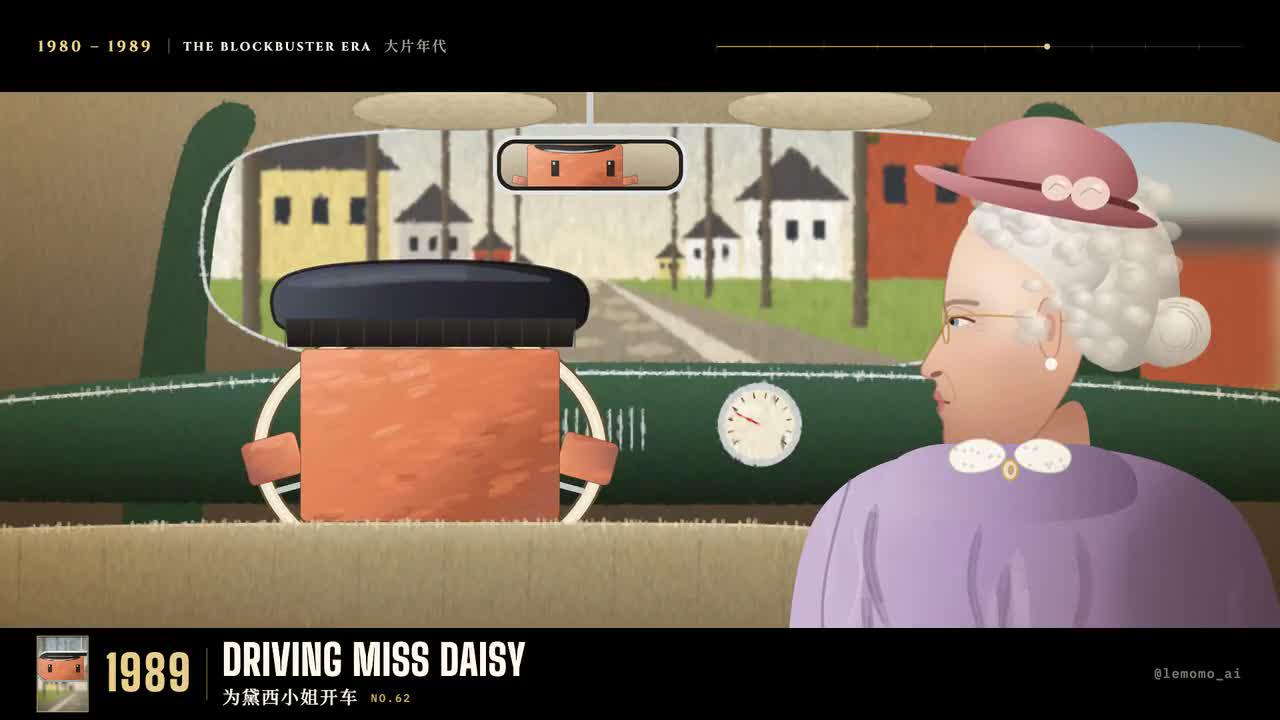
Another author-film frame; preserve its year and title context.
4. Render only the implemented reconstruction
An MemeGIF preview and an external render answer different production questions. The former shows your requested concept; the latter processes newly implemented source with its dependencies and assets. Keep both outcomes labeled accurately, and avoid calling an MemeGIF draft evidence that the independent reconstruction commands executed successfully.
Review MemeGIF cards during their holds and at transitions. A caption may be correct in a still yet leave too little reading time or overlap the next entry. Watch the MemeGIF sequence without pausing first, then examine any confusing transition to identify whether the issue is timing, layout, or factual content.
Compare chapter changes with the accepted MemeGIF outline. A transition should orient the viewer rather than quietly skip material or associate a title with the preceding illustration. Use the written plan to locate intended boundaries, but require the MemeGIF playback itself to communicate the order without continuous explanation.
For a local reconstruction, save sampled frames and actual render metadata as evidence. For MemeGIF, retain accepted project versions and inspect the exported video. Neither a completion message nor a single attractive frame establishes that all captions, illustrations, and transitions remained consistent throughout the finished sequence.
If externally added audio changes length, reconcile picture and sound before handoff. Keep the original reference separate while doing so. MemeGIF's silent project export should remain distinguishable from a later edited version, including any caption, music, or narration work completed in another application.
After the new page and mixer exist, use Lemo’s shared rendering interfaces, not a nonexistent feature build script:
.venv/bin/python "$D/mix.py"
node core/render/still.mjs "$D" 0 --out "$D/evidence/stills"
node core/render/video.mjs "$D" --fps 24 --workers 2 --out "$D/out/picture.mp4"
sh core/render/mux.sh "$D/out/picture.mp4" "$D/out/mix.wav" "$D/out/study.mp4" 24 0
ffprobe -v error -count_frames -show_streams -show_format -of json "$D/out/study.mp4"
ffmpeg -v error -i "$D/out/study.mp4" -f null -
Sample additional frames at the recorded chapter boundaries. Check complete soundtrack tails before muxing: the shared mux can trim audio to picture length.
5. Correct chronology and accept the full edit
Write each MemeGIF correction around an observed problem: a misspelled title, wrong date association, duplicated card, or rushed hold. Keep the accepted chronology explicit, then inspect neighboring cards after revision. An MemeGIF request to correct a caption does not guarantee that every other illustration or transition remains unchanged.
When a factual error appears in MemeGIF output, return to the checked record before editing the wording. A plausible replacement is insufficient. If the required caption cannot be rendered reliably, simplify the layout or complete exact text externally, while preserving the selected MemeGIF visual study as a separate source version.
Reopen the final export and compare it with the accepted timeline. Check the beginning, chapter order, every visible title, and closing hold. Describe the result according to the work actually completed, whether a short visual study or an independent reconstruction. Keep unresolved history questions visible rather than turning them into confident captions.
Hand over the evidence record, accepted project, used assets, revision notes, and final output together. The recipient should be able to trace each factual label to its supporting record and distinguish a source film from your new work. That makes later corrections possible without reconstructing your reasoning from the finished video alone.
Correct only the observed year/title, illustration, or timing mismatch.
Update linked captions and audio together. Preserve chronology and reading
holds; show the evidence, source diff, and fresh boundary frames.
Original-release frame, not evidence of a newly completed rebuild.
Compare decoded frame count with the reconstruction’s actual frame plan, then watch and listen throughout. Archive evidence, source, prompts, versions, edits, and MP4. The repository license covers its software under MIT; it does not automatically clear film imagery, characters, music, or other third-party material.